SYMPTOM:
Users receive the below error when executing a Visual Insight Dashboard in Strategy Web 10.x.
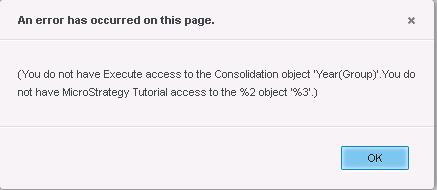
“(You do not have Execute access to the Consolidation object ‘XXX'. You do not have "<Project_Name> access to the %2 object '%3'.)"
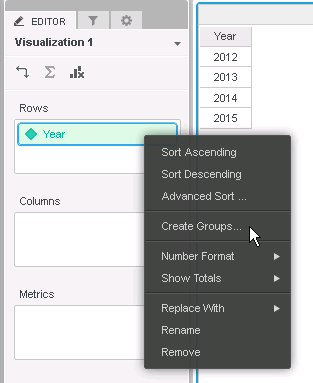
6. Save the new dashboard inside “My reports" folder.
7. Copy this dashboard into the "Shared Reports" folder so that user B now has permissions to use it.
8. With the same user (A), open the Shared Reports Dashboard. Everything works.
9. With other user (B) without Administrator permissions, open the dashboard within the “Shared Reports" folder. The error is received.
CAUSE:
This is an identified defect in Strategy Web 10.0 - 10.4. It comes from the fact that the attribute groups are managed objects which inherit their access control list from the object they reside in. In this case it is the document itself. The defect is when the access control list (ACL) for the dashboard is updated, the access control list for the managed object is not. This is incorrect behavior, and currently, there is no method to manually update the access control list of these managed objects through Strategy Developer or Web.
ACTION:
This issue has been addressed in Strategy Web 10.4 HF 1 and 10.5. Upgrade to this version to take advantage of this fix.
WORKAROUND:
Ensure the initial dashboard creation is done in a folder all users have access to. This will ensure the creation of the managed consolidation object gives all future users appropriate access even after moving the dashboard.
KB301289
