Selectors that contain attribute, custom group, or consolidation elements as selector items can also include an option to display totals. The total is calculated for all the selector items. A user can choose whether to display specific elements, all of the elements at the same time, or the totals.
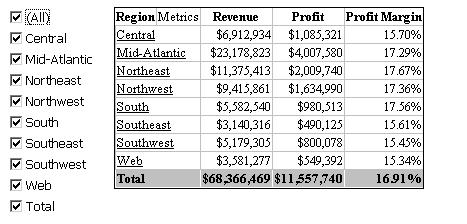
For example, a document contains a Grid/Graph with region and metrics. A selector targets the Grid/Graph and displays all the regions, as well as the Total option, as selector items. In the following sample, all the regions are selected, and the total is displayed:
The All option does not have to be selected for the total to be displayed. For example, only Central, Mid-Atlantic, and Total are selected in the following sample:
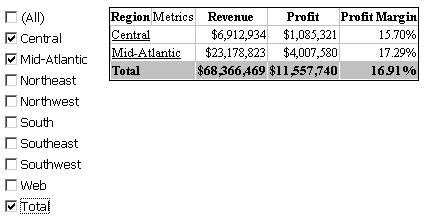
Notice that the values in the Total line remain the same as in the previous sample, the total is always calculated using all the selector items (in this instance, all the regions).
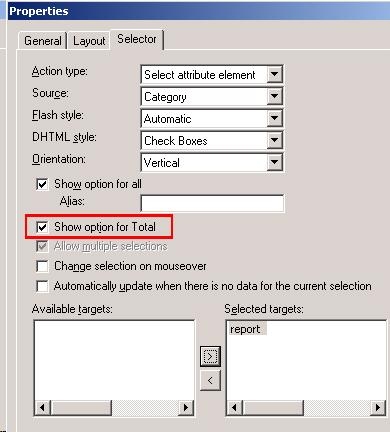
How to enable Total for Selector
KB30151
