The example provided in this document is provided “as-is” to the user and assumes that the user:
PREREQUISITES:
For the sample to work, the Strategy Web JAR files must be accessible by the Java Runtime
Environment. The Strategy Web JAR files can be found under:
Note:
More elaborate programs will require additional library files and are out of the scope of this document.
The Report Filter information is displayed in the Report Details section on executing a report in Strategy Web version 9.4.1 as shown below,
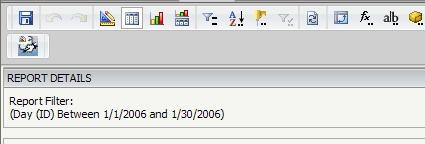
The following code samples helps in retrieving the content of the Report Details section :
import com.Strategy.web.beans.WebBeanFactory;
import com.Strategy.web.beans.ReportBean;
import com.Strategy.web.objects.EnumWebReportExecutionModes;
import com.Strategy.web.objects.WebIServerSession;
import com.Strategy.web.objects.WebObjectsFactory;
import com.Strategy.web.objects.WebReportData;
import com.Strategy.web.objects.WebReportInstance;
import com.Strategy.webapi.EnumDSSXMLApplicationType;
public class GetReportFilterDetails {
public GetReportFilterDetails(){super();}
public static void main(String args[]) {
//Get the session object
WebObjectsFactory webObjectsFactory = WebObjectsFactory.getInstance();
WebIServerSession serverSession = webObjectsFactory.getIServerSession();
String SessionID = "";
ReportBean reportBean;
//Specify the server, project user and pwd information for creating a session with the IServer
serverSession.setServerName("hostname");
serverSession.setServerPort(0);
serverSession.setProjectName("Strategy Tutorial");
serverSession.setLogin("Administrator");
serverSession.setPassword("");
serverSession.setApplicationType(EnumDSSXMLApplicationType.DssXmlApplicationCustomApp);
try {
SessionID = serverSession.getSessionID();
WebBeanFactory factory = WebBeanFactory.getInstance();
reportBean = (ReportBean)factory.newBean("ReportBean");
reportBean.setSessionInfo(serverSession);
//Specify the ID of the report for retrieving the report details section
String strReport = "EAC0ECD14110E012DCF898B4CBC69DAA";
reportBean.setObjectID(strReport);
//Get the report instance
WebReportInstance ri = reportBean.getReportInstance();
ri.getResultSettings().getDetailsFormatter().setReportDetailsFormat("");
//Execute the report
reportBean.setExecutionMode(EnumWebReportExecutionModes.REPORT_MODE_DEFAULT);
//Poll status so that the report completes execution
ri.pollStatus();
//Get the report data from the bean
WebReportData reportData = reportBean.getReportData();
//Get the report details from the report data
String reportDetails = reportData.getReportDetails();
System.out.println("ReportDetails :" + reportDetails);
}
catch (Exception e) {
}
}
}