EducationSoftwareStrategy.com
StrategyCommunity

Knowledge Base

Product

Community

Knowledge Base

TopicsBrowse ArticlesDeveloper Zone

Product

Download SoftwareProduct DocumentationSecurity Hub

Education

Tutorial VideosSolution GalleryEducation courses

Community

GuidelinesGrandmastersEvents
x_social-icon_white.svglinkedin_social-icon_white.svg
Strategy logoCommunity

© Strategy Inc. All Rights Reserved.

LegalTerms of UsePrivacy Policy
  1. Home
  2. Topics

KB303816: "Cannot read property 'layouts' of undefined" error occurs when selecting > 5000 elements using Financial Reporting


Community Admin

• Strategy


When users create a Financial Reporting dashboard and selecting a large amount of elements from a hierarchy in the filter panel e.g. > 5000 elements, the error "Cannot read property 'layout' of undefined" may occur.

SUMMARY
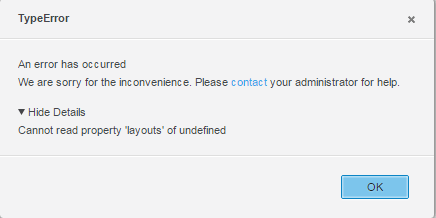
When users create a Financial Reporting dashboard and select a large amount of elements from a hierarchy in the filter panel e.g. > 5000 elements, the below error might occur.
ka04W000000ObtgQAC_0EM4400000025Tb.jpeg


Cannot read property 'layout' of undefined

The underlying error message returned by the HTTP response from the web server / web application server will be similar to 

We could not locate a task from the supplied request.

 
CAUSE
When selecting a high number of elements, the maximum size of the HTTP POST request might reach the limit set on the respective web server. As a consequence, the web server does not accept the HTTP request and returns an error message.
 
ACTION
Most Web Servers allow to change this size limitation. Depending on the Web Server used to deploy Strategy Web, the steps may differ. The maxPostSize parameter must be adjusted to allow HTTP Post requests with a large amount of elements to be accepted by the web server.

  • Tomcat:

Set the maxPostSize parameter in the Connector to a value less than zero, this will disable the limit. (See https://tomcat.apache.org/tomcat-7.0-doc/config/http.html and https://tomcat.apache.org/tomcat-8.0-doc/config/http.html for further information).

  • WebLogic:

Set the MaxPostSize parameter to a value less than 0, this means an unlimited size.(https://docs.oracle.com/cd/E13222_01/wls/docs81/adminguide/web_server.html)
KB303816


Comment

0 comments

Details

Knowledge Article

Published:

June 7, 2017

Last Updated:

November 12, 2018