In the Strategy Intelligence Server Configuration Editor, under Governing > General, administrators can specify values for the two governing settings "User session idle time (sec)" and "Web user session idle time (sec)".
The "User session idle time" limits the time, in seconds, that Strategy Developer users can remain idle before their Developer session is ended. (A value of -1 indicates no limit.)
The "Web user session idle time" limits the time, in seconds, that Strategy Web users can remain idle before their Web session is ended. (A value of -1 indicates no limit. )
The following procedure describes how administrators can enable a diagnostics log for analysing how many user sessions were disconnected by Strategy Intelligence Server because one of those session idle time settings was exceeded:
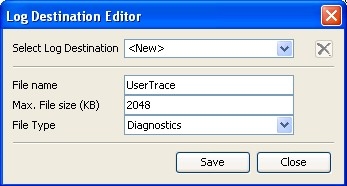
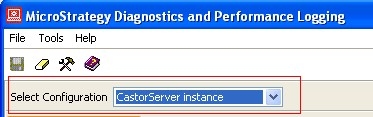
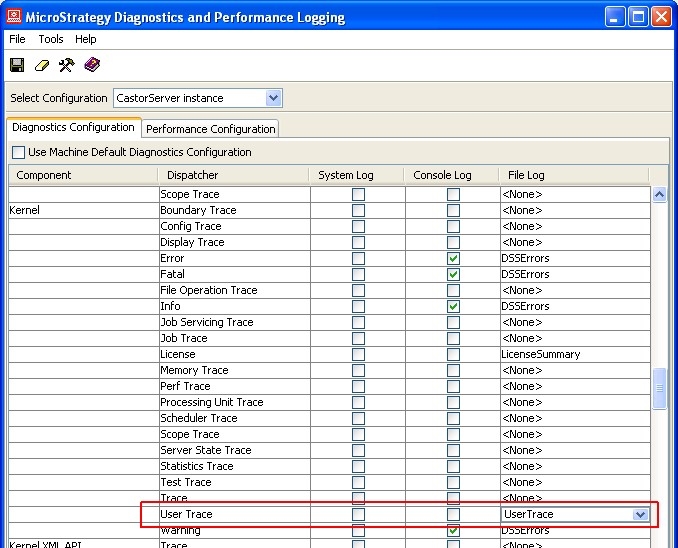
Whenever the session of a user is cancelled by the Strategy Intelligence Server because the maximum user session idle time is exceeded, an entry similar to the following will logged to the UserTrace.log:
Sample Code/Error
2009-04-10 13:24:40.109+01:00 User Trevor Evans's session 76FBEEA747DFBA7A2678F7A4D34EBD0D is timed out.
The administrator can now search for all occurrences of "is timed out." in that log file to analyse the number of cancelled user sessions and to determine which users are affected.
NOTE: Please refer to TechNote KB15868 (KB5303-81x-2506): How to modify diagnostics logging for MicroStrategy components from the command line in Windows and Unix/Linux environments. in case the Strategy Diagnostics and Performance Logging tool can not be used in GUI mode.
