SUMMARY:
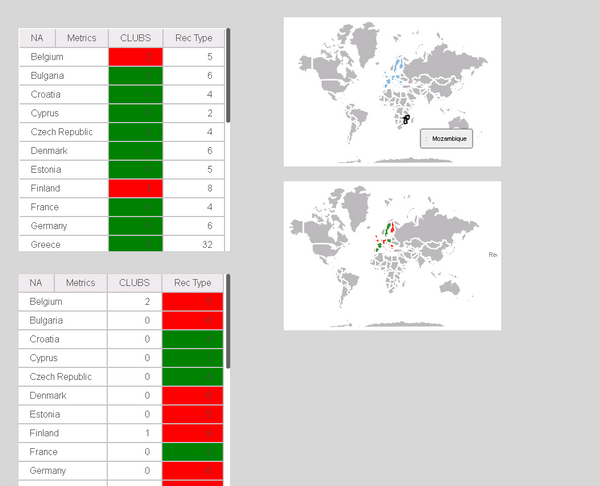
Thresholds can be rendered on the Image Layout widget which only works with a single metric on the grid. However, as soon as there is a second metric, thresholds do not render properly. Only when the metric with the thresholds is the outermost metric (on the second position) the threshold is rendered.
SYMPTOM:
Please find the screenshots for more information.
The grids on left side show the data corresponding to the widget on the right side.
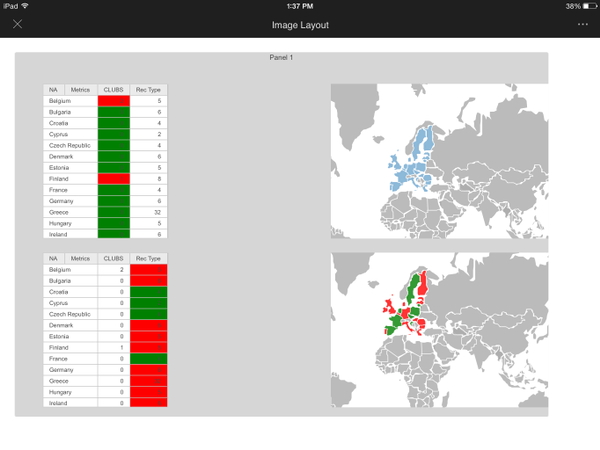
The same situation occurs on Mobile as shown below:
CAUSE:
This is working as design. The behavior is now expected for both Strategy Web and Mobile.
WORKAROUND:
Thresholds on Image Layout widget render depending on metric position.
If there is only one metric, it is used if as both for size and for color. If there is more than one metric, use the first as sizable and second as for color.
