EducationSoftwareStrategy.com
StrategyCommunity

Knowledge Base

Product

Community

Knowledge Base

TopicsBrowse ArticlesDeveloper Zone

Product

Download SoftwareProduct DocumentationSecurity Hub

Education

Tutorial VideosSolution GalleryEducation courses

Community

GuidelinesGrandmastersEvents
x_social-icon_white.svglinkedin_social-icon_white.svg
Strategy logoCommunity

© Strategy Inc. All Rights Reserved.

LegalTerms of UsePrivacy Policy
  1. Home
  2. Topics

KB305437: New behavior in MicroStrategy Secure Enterprise 10.4: Change in default date format for the MicroStrategy ODBC Driver for Amazon Redshift


Community Admin

• Strategy


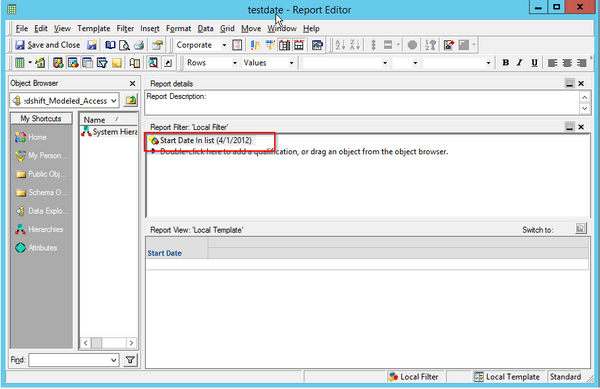
Beginning with MicroStrategy Secure Enterprise 10.4, the default date format for the MicroStrategy ODBC Driver for Amazon Redshift has changed.  In MicroStrategy Secure Enterprise 10.3 and earlier versions, the default format was "mm/dd/yyyy".  The new default date format is "yyyy-mm-dd".  Running reports or SQL in MicroStrategy 10.4 that use the old date format will result in an error:

Beginning with Strategy Secure Enterprise 10.4, the default date format for the Strategy ODBC Driver for Amazon Redshift has changed.  In Strategy Secure Enterprise 10.3 and earlier versions, the default format was "mm/dd/yyyy".  The new default date format is "yyyy-mm-dd".  Running reports or SQL in Strategy 10.4 that use the old date format will result in an error:


ERROR: date/time field value out of range: "21/07/2016" (Hint Perhaps you need a different "datestyle" setting.


WORKAROUND
There are two methods that can be used to correct this error:
 
Method 1 (preferred):
 
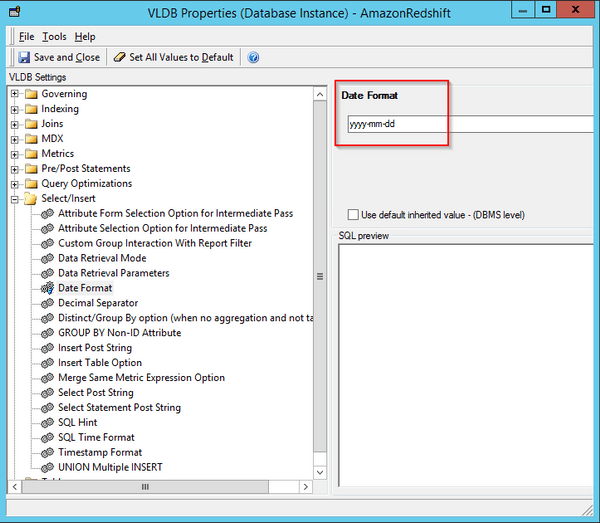
Update the VLDB properties for all Amazon Redshift Database Instances to reflect the new format:

  • Navigate to Project source→Administration→Configuration Managers→ Database Instances. Right click on the DB instance and select VLDB Properties.
     
  • Edit the date format parameter under the select/insert section and set it to yyyy-dd-mm
ka04W000000OhGuQAK_0EM440000002J9x.jpeg
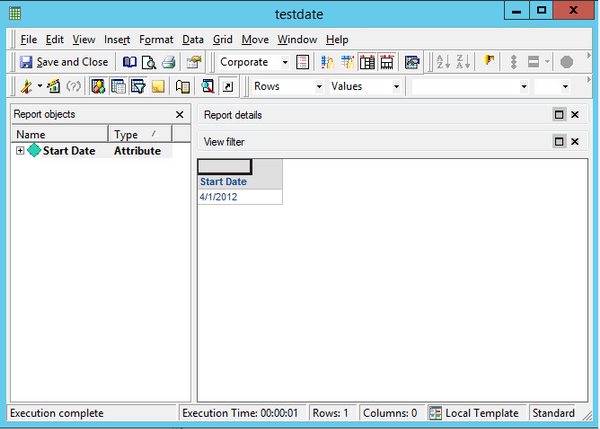
  • The reports containing the filter in mm/dd/yyyy format execute successfully.


ka04W000000OhGuQAK_0EM440000002J9q.jpeg


ka04W000000OhGuQAK_0EM440000002J9t.jpeg

 
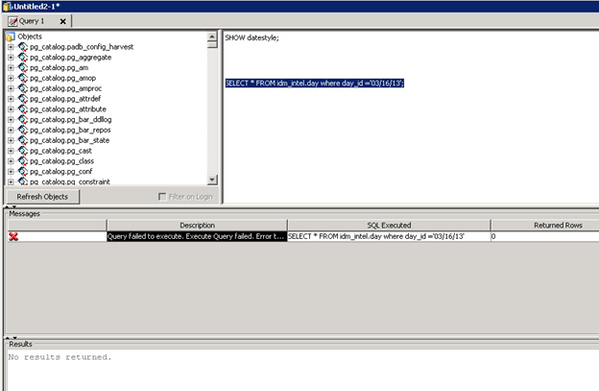
Additionally, free-form SQL reports will need to have any date values manually updated to reflect the new "yyyy-mm-dd" format:
 

ka04W000000OhGuQAK_0EM440000002J9a.jpeg


ka04W000000OhGuQAK_0EM440000002J9p.jpeg

 
Method 2 (not preferred as it forces the old-style behavior):
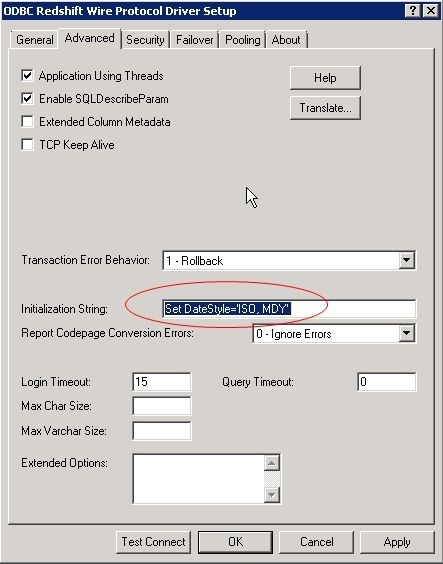
 

  • Navigate to the Windows ODBC Administrator and choose to configure the Amazon Redshift DSN. On the Advanced tab, set the value for Initialization String: Set DateStyle='ISO, MDY'

ka04W000000OhGuQAK_0EM440000002J9n.jpeg
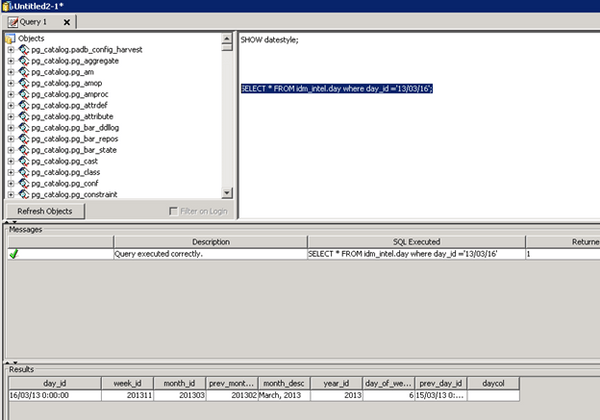
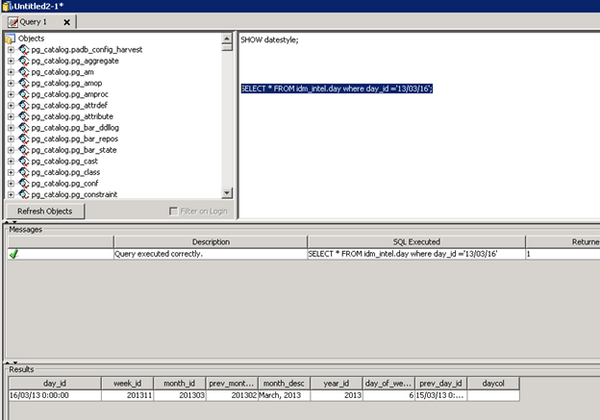
  • A query can now be run successfully with the filter condition set to the 'mm/dd/yy' format

ka04W000000OhGuQAK_0EM440000002J9v.jpeg

Comment

0 comments

Details

Knowledge Article

Published:

May 27, 2017

Last Updated:

May 27, 2017