SYMPTOM
In some Strategy environments, users may find that they are unable to list the tables available in Presto when using Strategy Data Import. The DSSErrors.log captures the following error:
Cannot list all columns for all tables
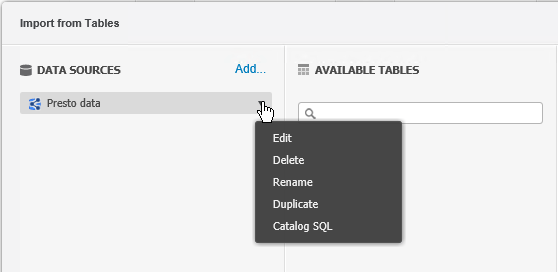
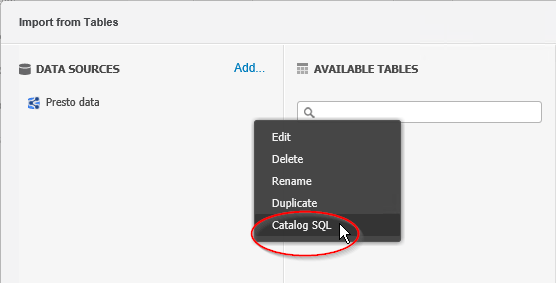
2) Choose Catalog SQL to open the editor
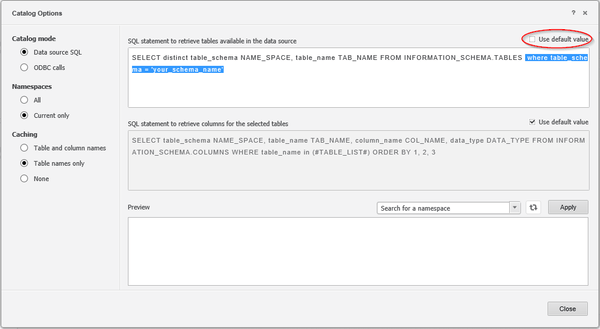
3) De-select the "Use default values" for the SQL statement to retrieve tables available in the data source. Edit the SQL to filter on the schema to use for analysis. Close the editor to use Presto as a data source.
WORKAROUND 2
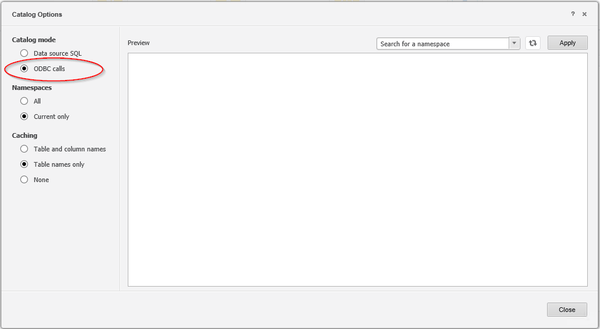
Edit the Presto Connection's Catalog SQL to use ODBC Calls instead of Catalog SQL.
Note: This is a misnomer as the Presto connector is actually a JDBC driver and JDBC Calls (getTables and getColumns) will be used to retrieve the relevant information.
1) From Data Import click the drop-down box next to the Presto connection
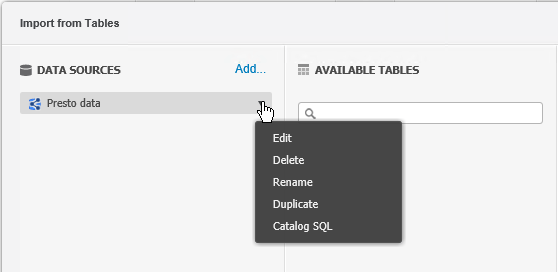
2) Choose Catalog SQL to open the editor
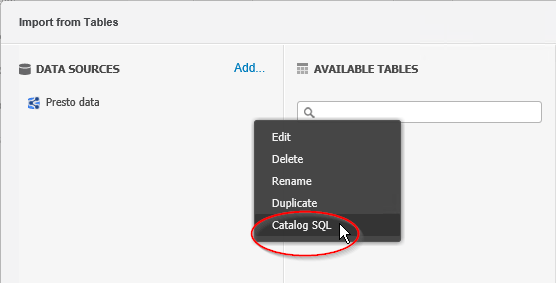
3) Under Catalog mode, choose to use "ODBC calls". Close the editor to use Presto as a data source.