SYMPTOM
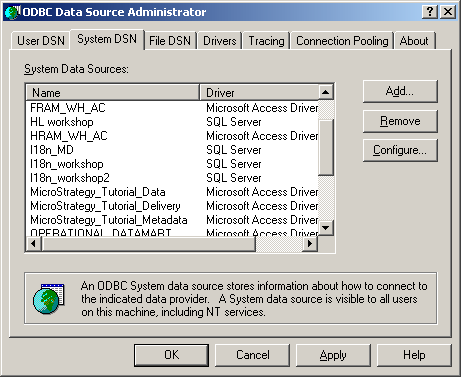
The list of available System DSNs (Data Source Name) appears empty on the ODBC Data Source Administrator (usually located under Control Panel / Administrative Tools) on a Windows 64-bit Operating System, as shown below:

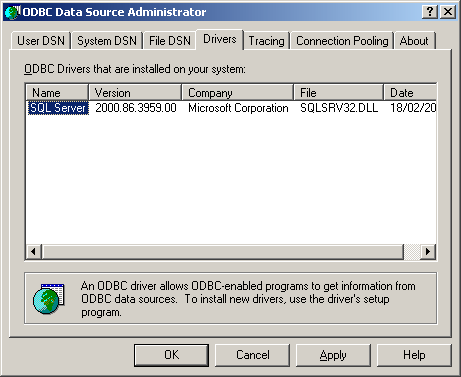
In addition, the ODBC drivers shipped with the Strategy installation seem not to be installed on the system:
The ODBC drivers and DSN are present on the computer. They can be selected from the drop down menu on the Configuration Wizard, when selecting the metadata DSN, for instance:

CAUSE
By default, Microsoft Windows 64-bit Operating Systems only display 64-bit ODBC drivers on the ODBC Data Source Administrator. The ODBC drivers shipped with Strategy are 32-bit.
ACTION
In order to access the 32-bit ODBC drivers on a 64-bit Windows machine, run the following command:
\SysWOW64\odbcad32.exe
C:\WINDOWS\SysWOW64\odbcad32.exe
Creating a shortcut to this executable file under the "Administrative Tools" folder (or in any other useful location) may save a significant amount of time when configuring ODBC Data Source Names.
Third Party Software Installation
WARNING:
The third-party product(s) discussed in this technical note is manufactured by vendors independent of Strategy. Strategy makes no warranty, express, implied or otherwise, regarding this product, including its performance or reliability.
