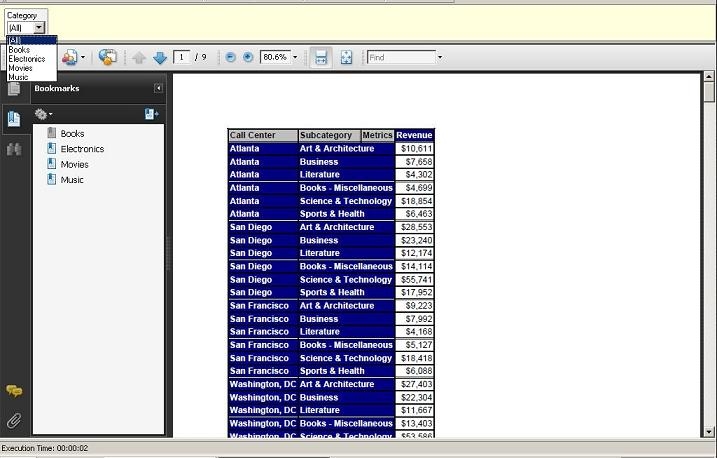
SYMPTOM:
In a Report Services Document with a dataset containing an object prompt, the prompt does not appear in the 'Dataset Objects' section of the document in Strategy Developer 9.x . In consequence the prompt cannot be placed in the 'Grouping' section of the document editor. Consider the following object prompt:
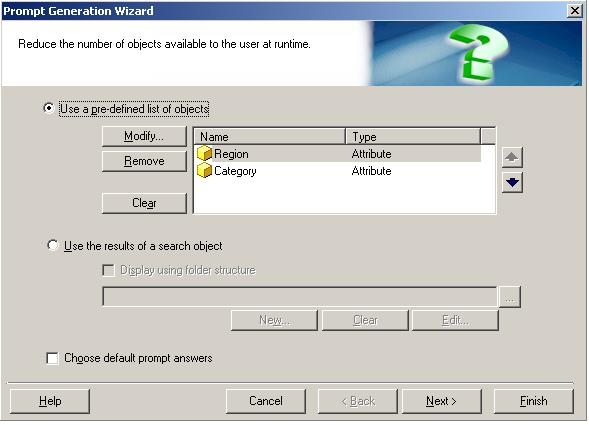
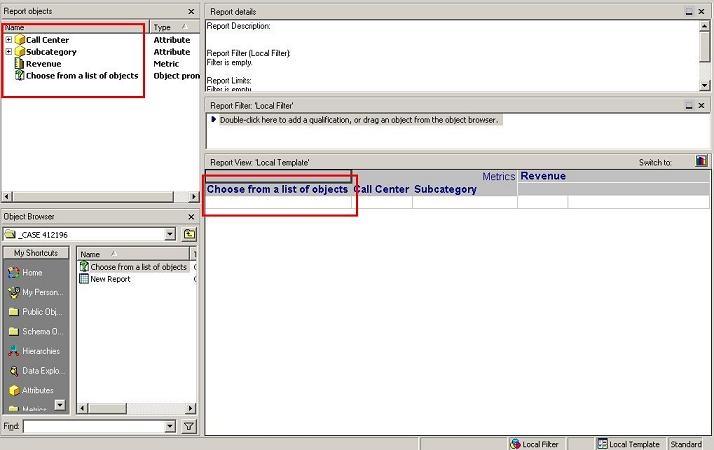
Add the system prompt to a report along with any other necessary attributes and metrics:
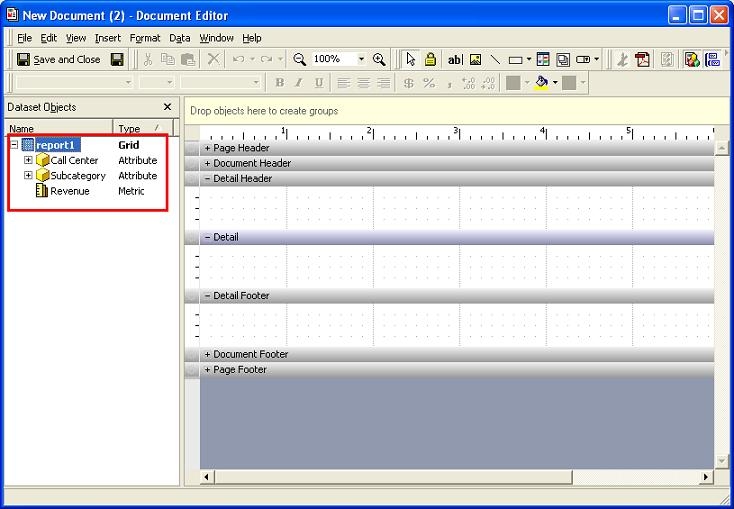
Create a document based on this report. The object prompt does not make part of the list of elements available to use in the 'Dataset Objects' section of the document editor:
CAUSE:
Object prompts are currently not supported for Strategy Report Services Documents. In consequence the prompt cannot be placed in the 'Grouping' section of the document editor.
ACTION:
Object prompts functionality in Report Services Documents has been enhanced with Strategy 9.0 where the object prompts can be added as part of grids inside the document. Consult the Strategy Knowledge Base Document below for more details.
KB11249 (KB5700-75x-1371): Object prompts on grid reports are not displayed in Strategy 8.x Report Services documents
Although the ability to include the object prompt in the grouping section is still not supported.
WORKAROUND:
Using Strategy Tutorial project as an example:
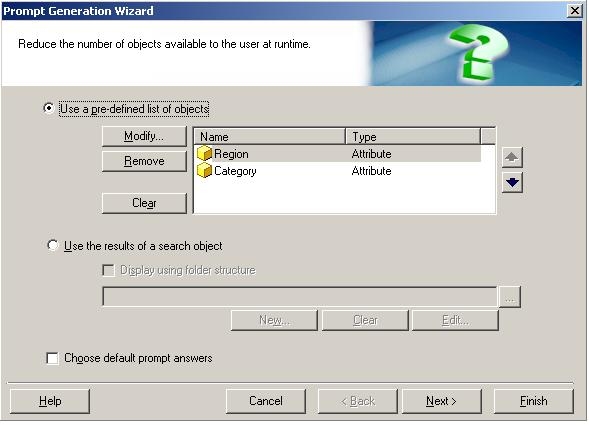
1. Create an object prompt with Region and Category attributes:
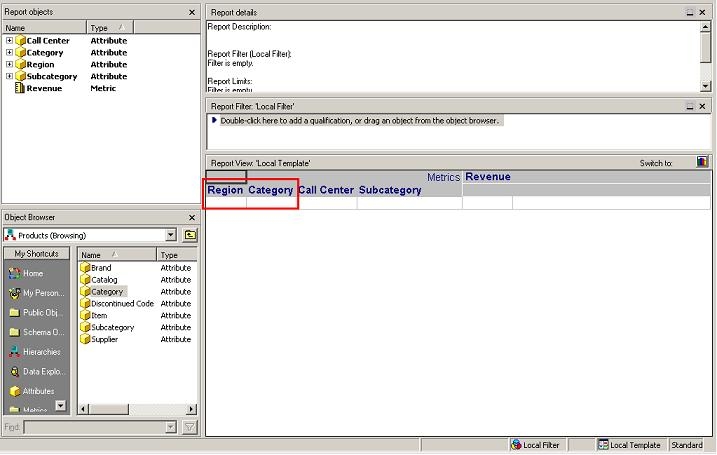
2. Create a report (report1) which includes the attributes used to build the object prompt in addition to any other attributes and metrics you are interested in having in the dataset:
3. Create a document(document1) that includes report1 as dataset.
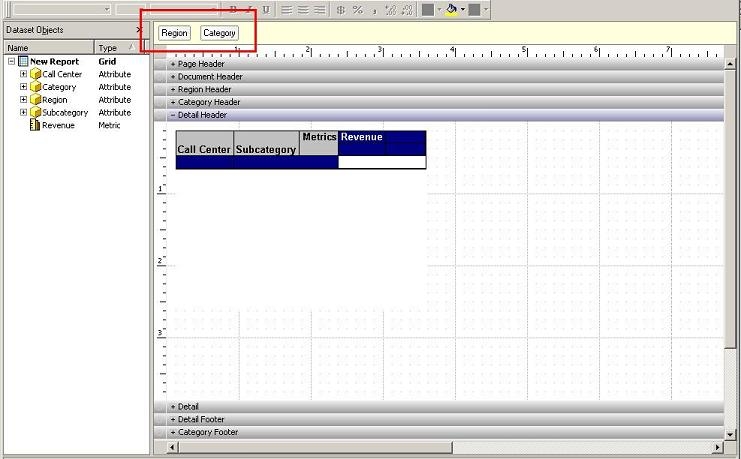
4. Add the attributes that were used to build the object prompt to the Grouping section. In this case the attributes are Region and Category as shown below:
5. Save and close the document.
6. Go back to design mode for report1.
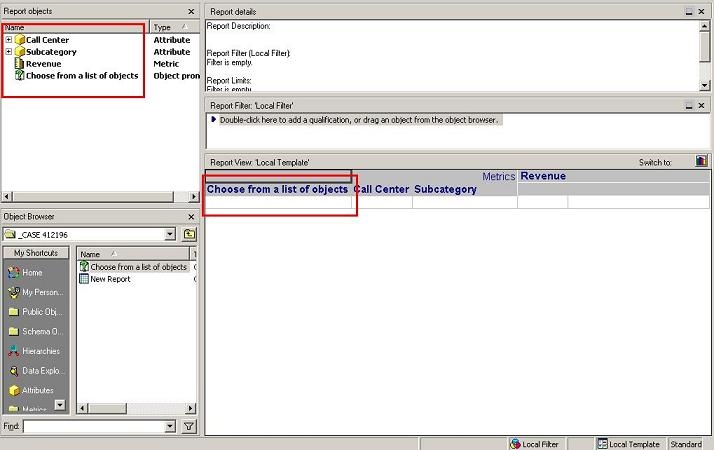
7. Remove the attributes that were used to build the object prompt from the report and add the object prompt to the template:
8. Save and close the report.
9. Execute document1. You will be prompted to choose the attribute that you want to be displayed. In this case we chose Category. Note how only the Category attribute is listed in the Grouping field and the Category elements are available for selection: