SYMPTOM:
When exporting a report to PDF in Strategy Desktop 8.1.x the date format changes from DD.MM.YYYY to MM.DD.YYYY
CAUSE:
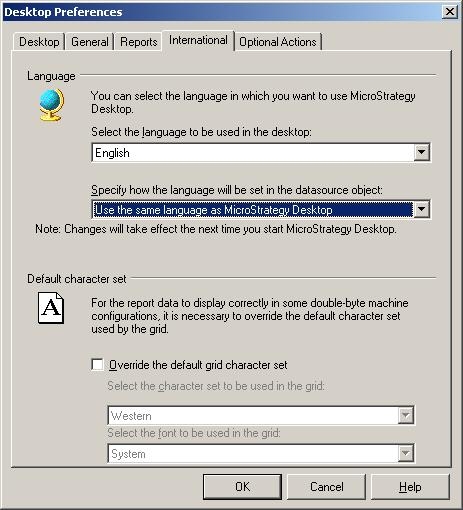
The Desktop preference 'Use the same language as Strategy Desktop' in the International tab is selected for the datasource object:
ACTION:
Change the aforementioned setting to 'Use language from Regional Settings':
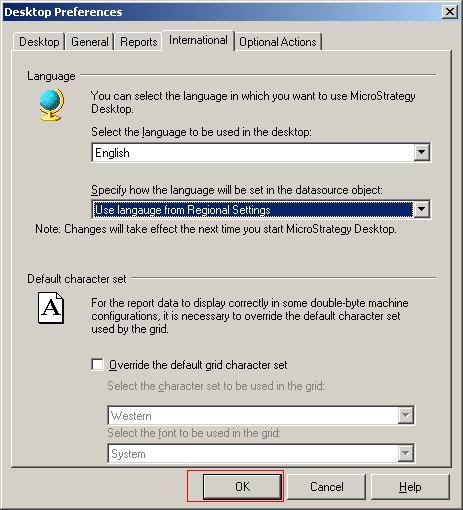
Close and re-open Strategy Desktop 8.1.x for the setting to take effect.
