EducationSoftwareStrategy.com
StrategyCommunity

Knowledge Base

Product

Community

Knowledge Base

TopicsBrowse ArticlesDeveloper Zone

Product

Download SoftwareProduct DocumentationSecurity Hub

Education

Tutorial VideosSolution GalleryEducation courses

Community

GuidelinesGrandmastersEvents
x_social-icon_white.svglinkedin_social-icon_white.svg
Strategy logoCommunity

© Strategy Inc. All Rights Reserved.

LegalTerms of UsePrivacy Policy
  1. Home
  2. Topics

KB30621: "Failed to load control 'msiObjectExplorer' from M3OBJEXP.OCX." error occurs when launching MicroStrategy Developer 2021


Stefan Zepeda

Salesforce Solutions Architect • Strategy


This article explains how to resolve the error of "failed to load control 'msiObjectExplorer' from M3OBJEXP.OCX" when launching MicroStrategy Developer 2021.

Symptom

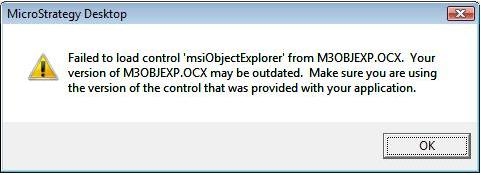
The below error happens when trying to launch Strategy Developer 2021 after a new installation of the Strategy 2021 product suite: 
ka0PW00000010QzYAI_0EM440000002EPc.jpeg


Failed to load control 'msiObjectExplorer' from M3OBJEXP.OCX. Your version of 
M3OBJEXP.OCX may be outdated. Make sure you are using the version of the 
control that was provided with you application.

Cause

The cause of this issue is that the particular version of Windows does not have the required OCX that Strategy needs. Instances of this issue happen when Strategy is Installed on an unsupported Operating System.

Action

Re-register the M3OBJEXP.OCX file:
1.-Execute command prompt as Administrator
2.- At the Command Prompt window, type the below command: 
C:\Windows\SysWOW64\regsvr32 
C:\Windows\SysWOW64\M3OBJEXP.OCX
Please refer to the below article for how to register and unregister .dll or .ocx (control) files using the RegSvr32 Windows utility:
KB11873: How to register and unregister .dll or .ocx (control) files using the RegSvr32 Windows utility


Comment

0 comments

Details

Knowledge Article

Published:

December 20, 2017

Last Updated:

February 27, 2024