EducationSoftwareStrategy.com
StrategyCommunity

Knowledge Base

Product

Community

Knowledge Base

TopicsBrowse ArticlesDeveloper Zone

Product

Download SoftwareProduct DocumentationSecurity Hub

Education

Tutorial VideosSolution GalleryEducation courses

Community

GuidelinesGrandmastersEvents
x_social-icon_white.svglinkedin_social-icon_white.svg
Strategy logoCommunity

© Strategy Inc. All Rights Reserved.

LegalTerms of UsePrivacy Policy
  1. Home
  2. Topics

KB30623: "Unknown error while updating behavior file. Cannot update the installation history" error occurs when attempting to update a license key in MicroStrategy License Manager in a Microsoft Windows operating system


Community Admin

• Strategy


"Unknown error while updating behavior file. Cannot update the installation history" error occurs when attempting to update a license key in MicroStrategy License Manager in a Microsoft Windows operating system

SYMPTOM:
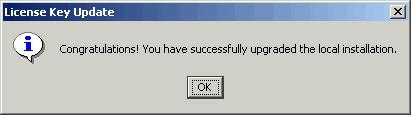
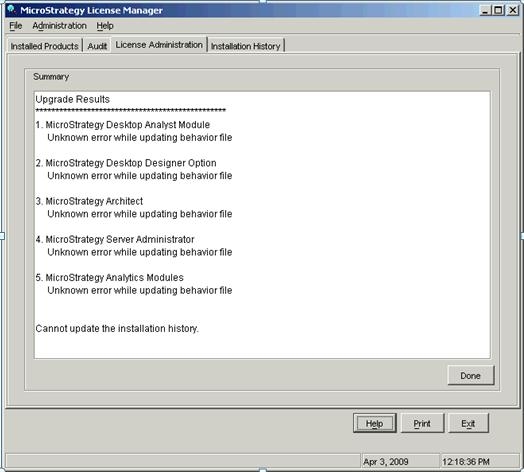
When attempting to update a license key in Strategy License Manager, a successful license key update message is displayed along with a series of warnings displaying an error while updating the behavior file.
 

ka04W000000OfntQAC_0EM440000002WtF.jpeg


Sample Code/Error
Congratulations! You have successfully upgraded the local installation.
 

ka04W000000OfntQAC_0EM440000002WtN.jpeg


Sample Code/Error
Unknown error while updating behavior file

Cannot update the installation history
 
CAUSE:
A possible cause for these errors is the lack of administrative privileges on the user account performing the license key update.
 
Updating the license key in Strategy License Manager 8.x or 9.x is considered an administrative task and requires the user account performing this task to have administrative privileges to allow Strategy License Manager 8.x or 9.x to modify all the necessary files related to Licensing ('mstr.hist', 'mstr.bhv', and 'activate.xml' files).
 
ACTION:
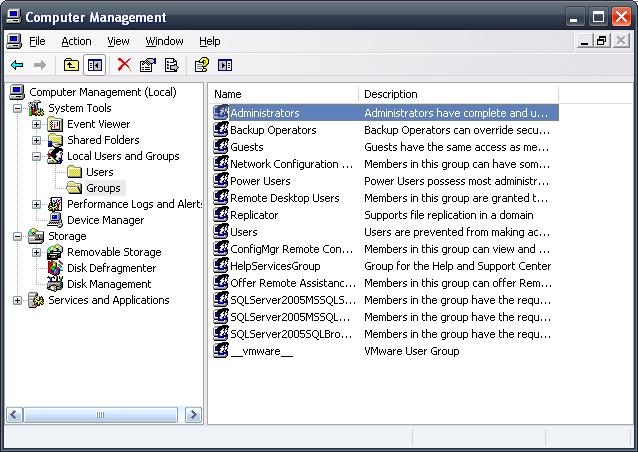
Make sure the user account used to perform the license key update is part of the Administrators group or has the proper administrative privileges.

ka04W000000OfntQAC_0EM440000002WtM.jpeg

Comment

0 comments

Details

Knowledge Article

Published:

July 21, 2017

Last Updated:

July 21, 2017