In Strategy Web 9.0.0, users may hide the report title with distribution services 'Send Now' functionality similar to the 'Export Report Title' setting for exporting.
Please follow the following steps
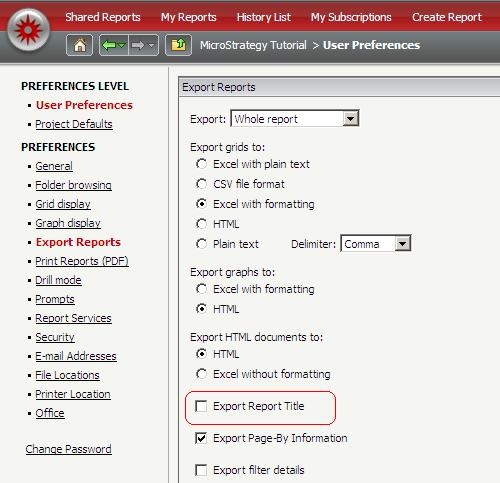
1. Make sure to uncheck the option for 'export report title' under web preferences as show below:
2. Open the report that will be sent and click on export to Excel (user will notice a new window open with the same preference selections)
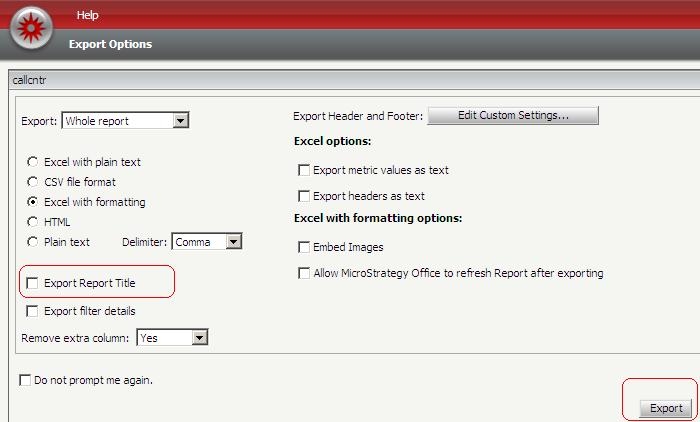
3. After exporting, save the report, this will make the selections for exporting (in this case, with no report title) to be saved at the report definition.
4. From then on, when using 'Send now' option, the report title should be removed when using Excel or CSV format.
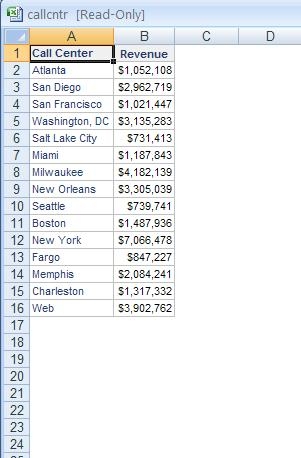
This has to be done only once for any report that the user wants to use 'send now' without a report title.
An enhancement request has been opened to have this feature setup using a separate checkbox for 'send now' (distribution services) only, similar to the checkbox for exporting. Please contact Strategy Tech Support for an update.
