SYMPTOM
Consider a standard SQL report such as the following:
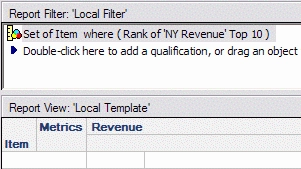
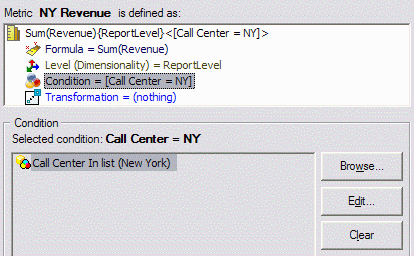
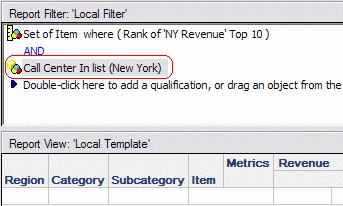
The "NY Revenue" metric used in the report filter contains a filter Call Center in (New York).
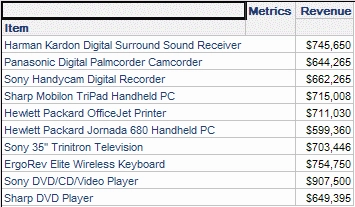
Without a security filter, the following 10 Items return.
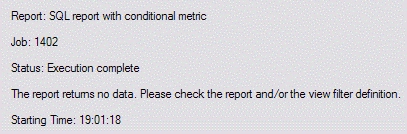
A user executes this report. The user has a security filter Region in (South). The security filter is mutually exclusive with the condition in the metric; thus, the metric qualification on New York Revenue should produce an empty set of Items. This is sensible in terms of data security. A user whose data access is limited to the South region should not be able to find out the top ranking Items for Call Centers outside her region.
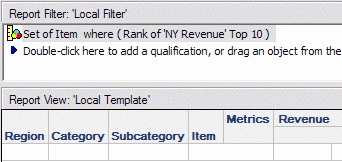
If the same report is translated into an Intelligent Cube, however, the results may be different. Consider an Intelligent Cube and view report with the following definitions.
Intelligent Cube
View report
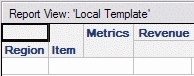
When the same Southern region user runs the view report, the report returns the top Items in New York.
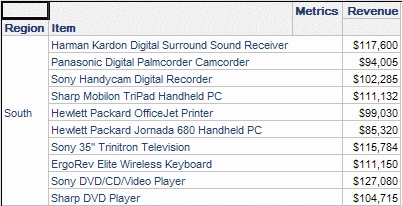
This is a) a discrepancy against the SQL report and b) contrary to data security expectations. Note, though, that the metric values obey the security filter and here come from the South region only. The only data in this result not tied to the security filter is the set of 10 Items.
CAUSE
This behavior is due to the design of the filter coupled with the OLAP Services dataflow.
In a standard SQL report, the ranking qualification is reevaluated every time the report is run. The Strategy SQL Generation Engine can incorporate the security filter into both the metric qualification pass and template metric calculation passes.
By contrast, the Intelligent Cube is pre-filtered according to the ranking qualification. By design, view reports operate on the Intelligent Cube data, taking view template attributes and view filters into account. The user's security filter is embedded into the view filter. The ranking qualification, however, is not part of the view filter: it exists only in the Intelligent Cube SQL. As a result, the ranking qualification is not reevaluated for each security filter. The Items presented are those obtained at the time of cube publication.
In the most common reporting scenarios where metric qualifications evaluate at report level, the behavioral difference would not be apparent to users. In this example, the top 10 Items consider only the New York Call Center, but when the filter is applied to the Intelligent Cube, the "Set of Items" discards the information that this is relative to New York. The same Item set is applied to all regions. Thus, the Intelligent Cube dataset does not fully reflect the filter.
If, instead, the ranking qualification evaluated at default level, the Intelligent Cube would contain data only for the Northeast region. In that case, the view report for a Southern user would return no data, just like its SQL counterpart.
ACTION
When designing Intelligent Cubes, it is recommended to avoid isolating filter qualifications within a set qualification (metric qualification or relationship filter) if that qualification does not directly impact the security filtering attribute elements found in the Intelligent Cube data set. Such qualifications are only partially applied, and this could cause protected data to leak into view reports indirectly.
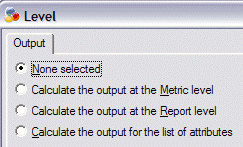
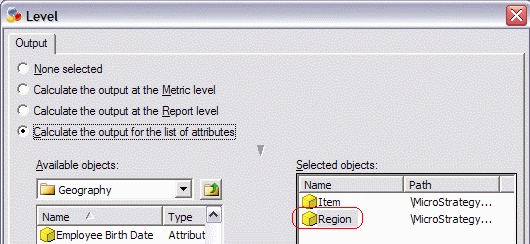
For the ranking qualification above, one of the following approaches may be taken. All three options elevate the indirect qualification to have a direct impact on the attribute elements in the Intelligent Cube base dataset, allowing security filters to behave as expected.
Note: These options could affect metric data in the Intelligent Cube. Users should verify the data returned by each option and choose the most satisfactory result.
Further reading
KB30696: Overview of security filter application to view reports based on Intelligent Cubes in Strategy OLAP Services 9.x
KB417407
