EducationSoftwareStrategy.com
StrategyCommunity

Knowledge Base

Product

Community

Knowledge Base

TopicsBrowse ArticlesDeveloper Zone

Product

Download SoftwareProduct DocumentationSecurity Hub

Education

Tutorial VideosSolution GalleryEducation courses

Community

GuidelinesGrandmastersEvents
x_social-icon_white.svglinkedin_social-icon_white.svg
Strategy logoCommunity

© Strategy Inc. All Rights Reserved.

LegalTerms of UsePrivacy Policy
  1. Home
  2. Topics

KB30747: The Header Detail section in a Report Services Document blanks out when no data is returned for a grid report, and the Report Services Document has a Group-by in it in MicroStrategy Developer and Web 9.x and 10.x


Stefan Zepeda

Salesforce Solutions Architect • Strategy


The Header Detail section in a Report Services Document blanks out when no data is returned for a grid report, and the Report Services Document has a Group-by in it in MicroStrategy Developer and Web 9.x and 10.x

SYMPTOM:
When executing a prompted Report Services Document that returns no data, the header section does not display objects when a Group by is present Strategy Developer and Web 9.x and 10.x
 
STEPS TO REPRODUCE:
Execute the following in Strategy Tutorial:
 

  • Create a report with Category attribute and Revenue metric, prompted on Year and Category.
  • Add this report to the Detail Header section on a Report Services Document and insert text boxes to display prompt answer selections. Expand the Page Header and Footer sections and add text in these sections (this is only to show that the Detail Header section loses all objects), and added Category to Group By in the Document.
     
ka02R000000kbwtQAA_0EM440000002ENQ.jpeg
  • Select year 2006, and Books and Electronics as prompt answer selection.
  • The text in the Page header and footer sections is displayed as well as the prompt answers the prompt answers,and the data grid.
  • Now select year 2007 in 8.1.x and 2009 in 9.0.x (there is no data for these years in the respective versions) and Books and Electronics as prompt answer selection.
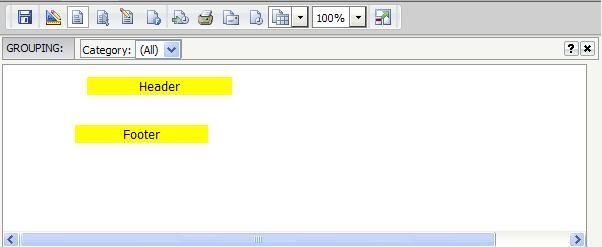
  • The document executes and displays the text in the Page header and footer sections, but the text boxes with the prompt answers are not displayed, nor is there a message that there  is no data available.
     
ka02R000000kbwtQAA_0EM440000002ENO.jpeg
  • In Strategy Web, the text in the Page Header and Page Footer are next to each other, with the Detail Header section collapsed.
     
ka02R000000kbwtQAA_0EM440000002ENU.jpeg
  • If the Group By is not used, when the document is executed, if there is no data, the following message is displayed:
     
     
    Sample Code/Error 
    No data returned for this view. This might be because the applied filter excludes all data.


CAUSE:
This is a known issue in Strategy Developer and Web 9.x and 10.x
 
ACTION:
Contact Strategy Technical Support for an update regarding this issue.
 
WORKAROUND:
Place the grid in the Document Header section in the Report Services Document instead of the Detail Header section.


Comment

0 comments

Details

Knowledge Article

Published:

June 5, 2017

Last Updated:

June 5, 2017