SYMPTOM
When "Data type" of the fact is set to "Big Decimal", the metric based on its fact will not display a symbol of currency after the number.
STEPS TO REPRODUCE:
1. Copy the fact "Revenue" and modify it to use data type "Big Decimal" instead of decimal, as per screenshots below:
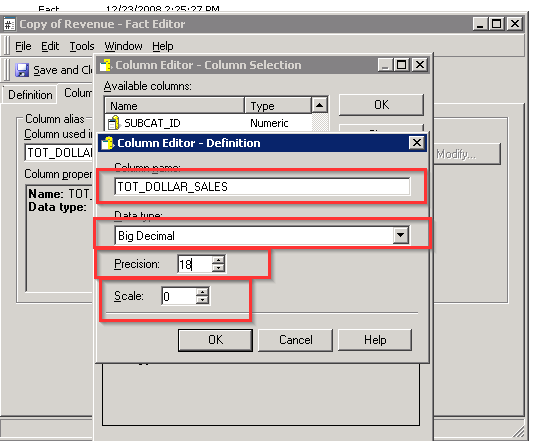
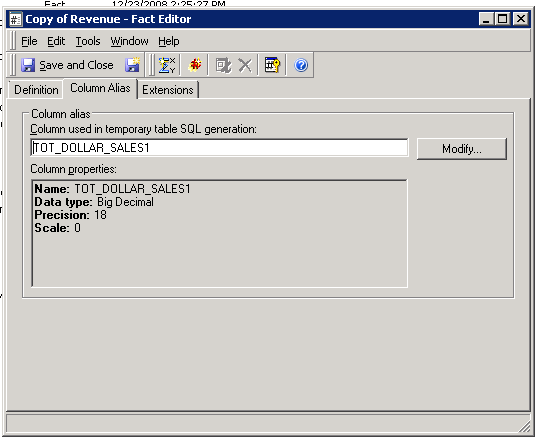
2. Create new metric called "Custom Revenue" using modified fact "Copy of Revenue" as below:
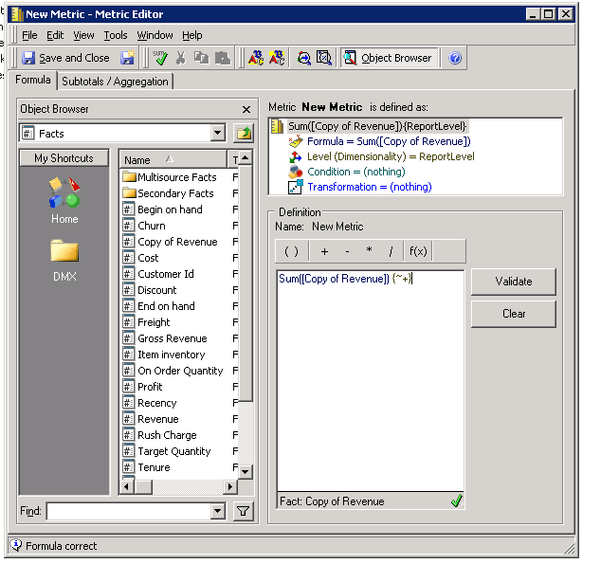
3. Format the metric to display currency after the number as shown below:
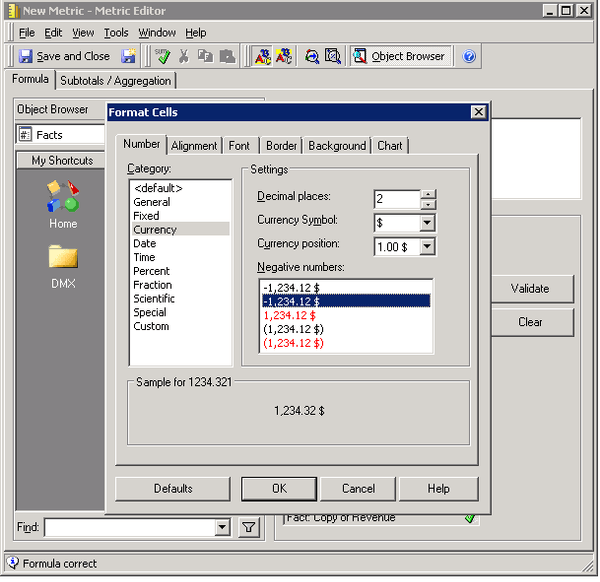
4. Create a report using the "Custom Revenue" and check the display as below:
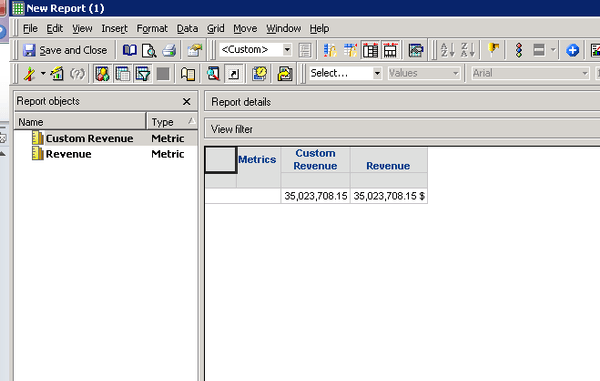
5. Change the display of the currency to be before the number. This works.
CAUSE
This is an identified defect in Strategy 10
ACTION
This issue will be addressed in the next Strategy releases 10.11 and 10.4 Hotfix 7, tentatively scheduled to come out during Q1 2018. Upgrade to this version to take advantage of the fix.
