EducationSoftwareStrategy.com
StrategyCommunity

Knowledge Base

Product

Community

Knowledge Base

TopicsBrowse ArticlesDeveloper Zone

Product

Download SoftwareProduct DocumentationSecurity Hub

Education

Tutorial VideosSolution GalleryEducation courses

Community

GuidelinesGrandmastersEvents
x_social-icon_white.svglinkedin_social-icon_white.svg
Strategy logoCommunity

© Strategy Inc. All Rights Reserved.

LegalTerms of UsePrivacy Policy
  1. Home
  2. Topics

KB30809: The MicroStrategy Enterprise Manager 9.x data load fails with the error “There is no project to transfer; this could be because all the projects are unloaded, idle or deleted"


Community Admin

• Strategy


This Knowledge Base article describes the steps to take in case the MicroStrategy Enterprise Manager 9.x data load fails with the error “There is no project to transfer; this could be because all the projects are unloaded, idle or deleted"

SYMPTOM:
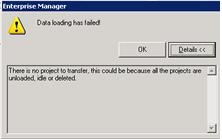
Both scheduled and manual Strategy Enterprise Manager 9.x data loads fail with the following error:
ka04W000000OdgtQAC_0EM440000002B3l.jpeg


Data loading has failed!

There is no project to transfer; this could be because all the projects are unloaded, idle or deleted.
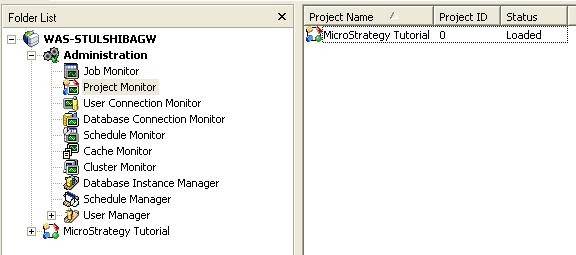
Using Strategy Developer 9.x, on the Strategy Enterprise Manager 9.x machine, to connect to the monitored 3-tier project source shows that the required projects are correctly loaded and none of them are in an idle state nor deleted.
 

ka04W000000OdgtQAC_0EM440000002B3j.jpeg


CAUSE:
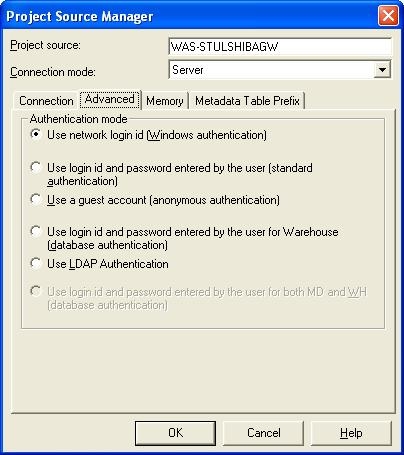
The monitored Strategy Intelligence Server 9.x project source, 3-tier / server connection mode, is setup for Windows authentication:
 

ka04W000000OdgtQAC_0EM440000002B3U.jpeg


ACTION: 
 

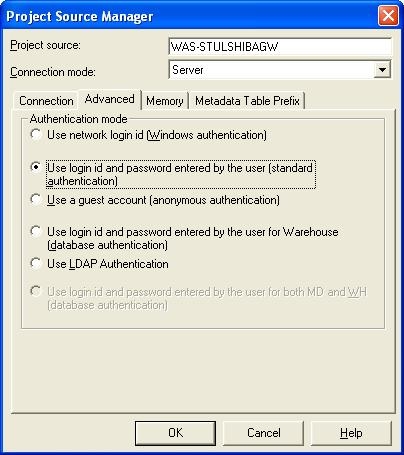
  • On the Strategy Enterprise Manager 9.x machine, modify the project source pointing to the monitored Strategy Intelligence Server 9.x, using Strategy Desktop 9.x, to use standard authentication.
ka04W000000OdgtQAC_0EM440000002B3i.jpeg
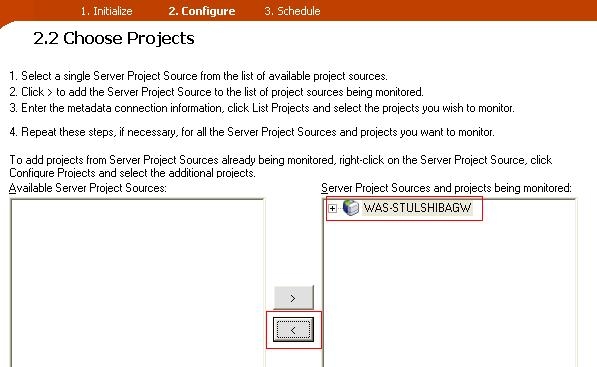
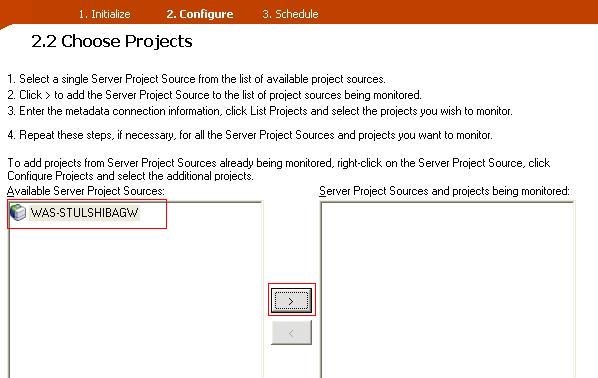
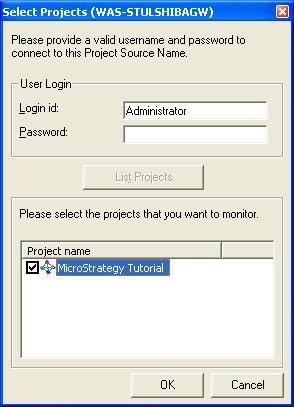
  • Reconfigure the project source from the Strategy Enterprise Manager Console 9.x by going to the Configure section and moving the project source from 'Server Project Sources and projects being monitored' to 'Available Project Sources', and then adding it back to 'Server Project Sources and projects being monitored'
ka04W000000OdgtQAC_0EM440000002B3g.jpeg
ka04W000000OdgtQAC_0EM440000002B3X.jpeg
ka04W000000OdgtQAC_0EM440000002B3n.jpeg

Comment

0 comments

Details

Knowledge Article

Published:

April 6, 2017

Last Updated:

April 6, 2017