SYMPTOM:
In Strategy 10.3, the Automatic Scale of graphs in Visual Insight Dashboards doesn’t work if they are populated with custom groups built using the Custom Group editor. The issue is not reproducible with the grouping functionality performed on attributes or metrics directly within VI Dashboards.
STEPS TO REPRODUCE:
Follow the steps below to reproduce the issue in Strategy Tutorial project:
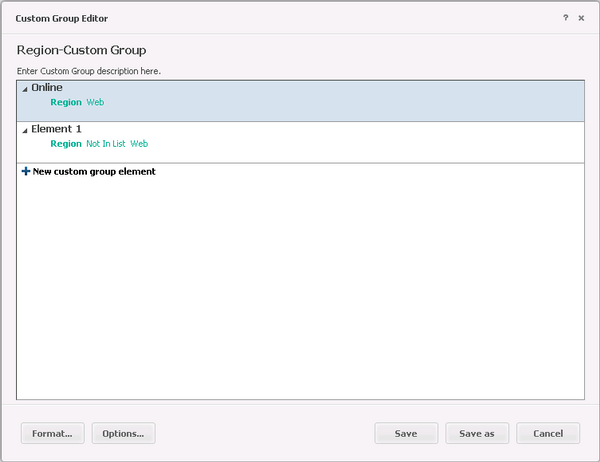
1. In Strategy Web, create a custom group “Region- Custom Group” using the Custom group
Editor. Add the following groups, as shown below:
- Group “Online” with attributes elements “Region contained in list Web”.
- Group “Offline” with attributes elements “Region not contained in list Web”.
2. Create a VI Dashboards and insert a new report as dataset with the following objects:
- Attributes: Month, Region, Category.
- Metrics: Revenue.
- Custom Group: “Region- Custom Group”.
3. Create a Grid visualization and add Region to Rows.
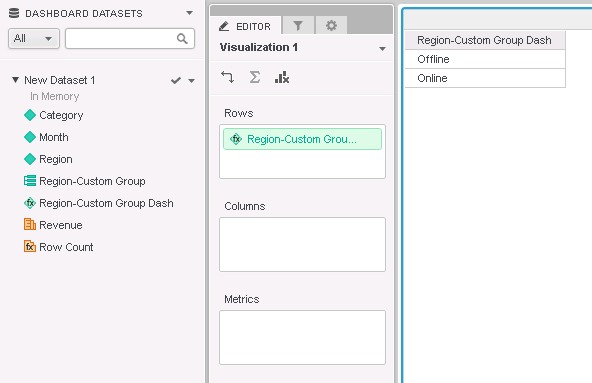
4. Select all elements in the grid, except for Web, and create the group “Offline”.
5. Select Web element in the grid and create the group “Online”.
6. Rename the Custom Group “Custom Group Dash”; the result is shown below:
7. Change visualization to “Bar chart” and add Revenue to Vertical, Month to Horizontal, Category to Color by and select Stacked as subtype.
8. Add “Custom Group Dash” to filter panel and change display style to Radio Buttons, as shown below:

9. Select “Offline”: the Y axes scales automatically from 0 to 1.4M, as shown below:

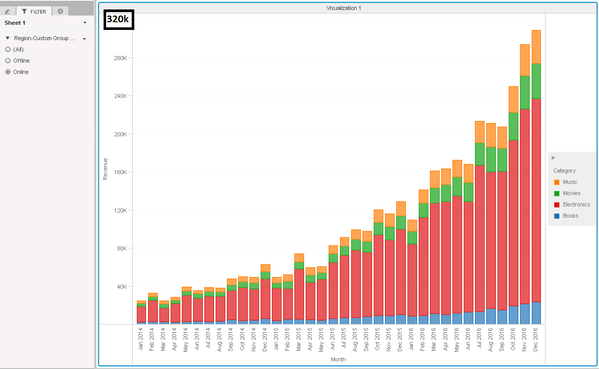
10. Switch to “Online” : the Y axes scales automatically from 0 to 320K, as shown below:
11. Remove from Filter Panel the group “Region- Custom Group Dash” and replace it with “Region-Custom Group”, created with the Custom Group Editor.
12. In Filter Panel, select “Offline”: the Y axes that scales automatically from 0 to 140M, as shown below:

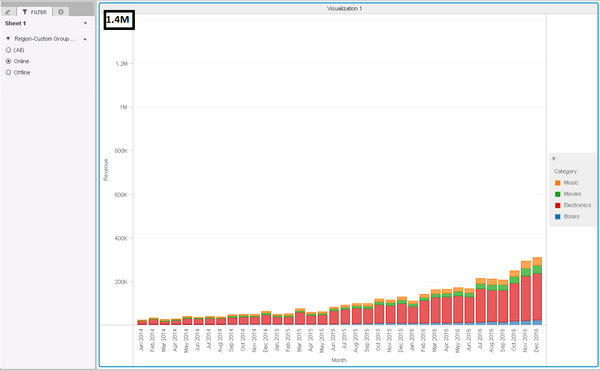
13. Switch to “Online” element: the Y axes does not scale to 320K but remains to 1.4M, as shown below:
CAUSE:
This is a known issue in Strategy Web 10.3.
ACTION:
This has been addressed in Strategy version 10.6. Please upgrade to take advantage of the fix
KB308649
