SYMPTOM:
In Strategy Web 10.3 and earlier, if an administrator enables Windows and Standard authentication, with Windows authentication set as default, and a user that is not linked to a Windows account attempts to login, the expected behavior is for them to see an error message and for the page to failover to Standard authentication to allow them to log in, as shown below:
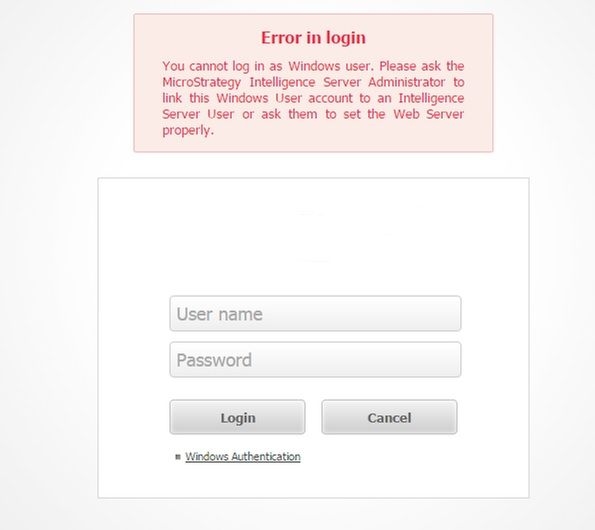
Error in Login
You cannot log in as Windows user. Please ask the Strategy Intelligence Server Administrator to link this Windows User account to an Intelligence Server User or ask them to set the Web Server properly

The Web Server encountered an unknown runtime error.
(Login failure. Invalid operation in authentication due to one of the following connection to the database server is lost; no available memory; the configuration is in an inconsistent state)
CAUSE:
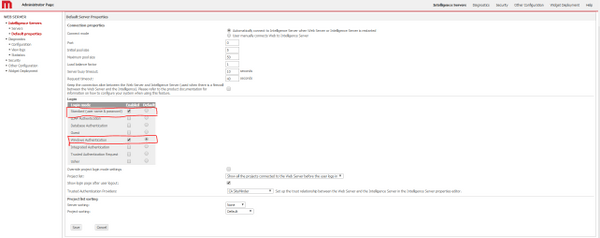
This is an identified defect in Strategy Web 10.4. and 10.5.
ACTION:
Upgrade Strategy 10.6 or Strategy 10.4 Hotfix 2 to solve the issue.
WORKAROUND:
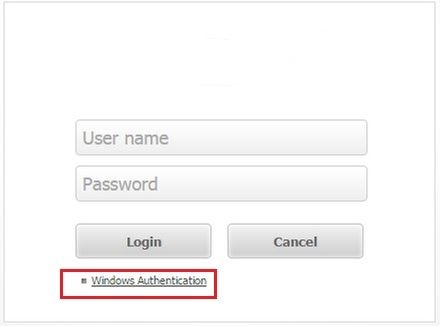
As a workaround, administrators can set Standard Authentication as the default authentication mode instead of Windows authentication. This way the users will be able to use both modes, however the Windows users will have to click the Windows authentication link, shown below.