EducationSoftwareStrategy.com
StrategyCommunity

Knowledge Base

Product

Community

Knowledge Base

TopicsBrowse ArticlesDeveloper Zone

Product

Download SoftwareProduct DocumentationSecurity Hub

Education

Tutorial VideosSolution GalleryEducation courses

Community

GuidelinesGrandmastersEvents
x_social-icon_white.svglinkedin_social-icon_white.svg
Strategy logoCommunity

© Strategy Inc. All Rights Reserved.

LegalTerms of UsePrivacy Policy
  1. Home
  2. Topics

KB30949: "Error 403--Forbidden" error message appears when opening MicroStrategy Web Admin page in MicroStrategy Web Universal


Community Admin

• Strategy


When users try to access the MicroStrategy Web Admin page, 403 message appears

SYMPTOM:
When users try to access the Strategy Web Admin page the following message appears:
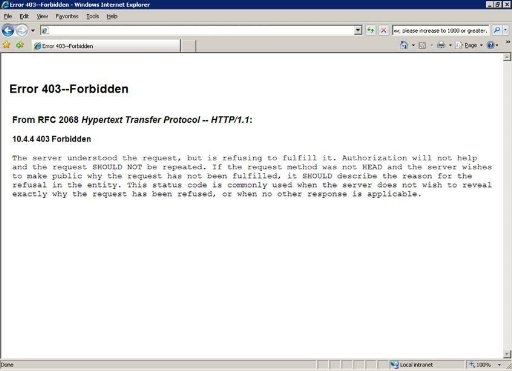
ka04W000000Oh3oQAC_0EM4400000028IW.jpeg

CAUSE:
One of the possible causes of this issue is that the user does not have enough privileges granted on the (J2EE) web server to access this page. By default Strategy Web Admin page requires the user to have admin role assigned on the web server. If this is not the case, the user will not be allowed to view the Admin resources.
ACTION:
To avoid this issue ensure that the user has admin role assigned on the web server.  Note that the admin role is a J2EE concept, this Technical Note applies to J2EE application servers and not to IIS.


Comment

0 comments

Details

Knowledge Article

Published:

June 5, 2017

Last Updated:

June 5, 2017