Note: You may want to see the following TechNote prior to performing the below:
- KB310278 - Pre-Requisites for Configuring 10.4 Usher Professional in a MicroStrategy Enterprise Linux/Windows Environment
By default, all Administrators of a network will be access to Usher Professional dashboards. However, Administrators can restrict the view access to only Usher Professional Analysts
1. Login to the Usher Network Manager:
2. After successful login, you should be able to see a list of all your available networks.

3. Choose a network (Eg: Strategy Inc)
4. In the Badge Management area, click on 'Properties'
5. Click Basic
5. Select one of the following:
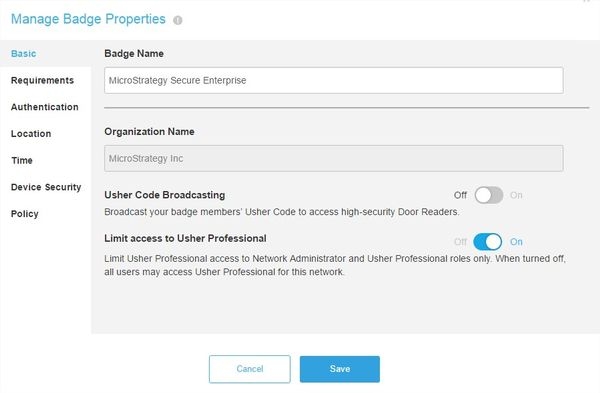
6. Click Save.
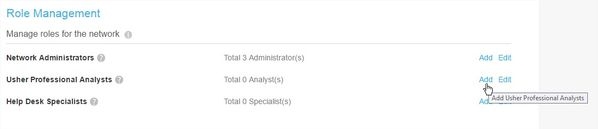
7. In the Role Management area, click on "Add" or "Edit" to add new users or remove existing users respectively from the Usher Professional Analysts roles.