SYMPTOM:
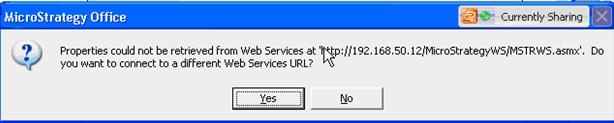
When attempting to connect to Strategy Office 9.x, users may receive the following message:
Sample Code/Error
Properties could not be retrieved from Web Services at 'http://webserver/StrategyWS/MSTRWS.asmx'. Do you want to connect to a different Web Services URL?
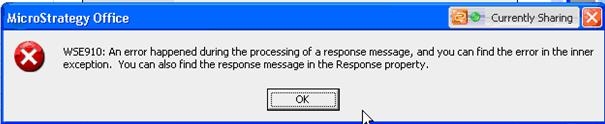
The above message may also be accompanied by the following message, depending on the version of Strategy Office being used in the environment:
Sample Code/Error
WSE910: An error happened during the processing of a response message, and you can find the error in the inner exception. You can also find the response message in the Response property.
CAUSE:
A possible cause for this issue can be that the machine where Strategy Web Services is installed and the client machine where Strategy Office is installed have significantly different machine times. For example, the client machine time may read 11:03pm, whereas the Web Services machine may read 11:18pm. The difference in time prevents properties from being retrieved via timestamp matching as indicated by the message.
ACTION:
Users should resolve clock differences between the client machine and Web Services machine. There is a five minute allowance that takes into account time zone differences, so time differences between clients and servers based solely on time zone should not cause any problems. The following Microsoft Knowledge Base article can be consulted for more information on managing time drift:
Sample Code/Error
http://support.microsoft.com/kb/307897
