In the Strategy 9.0 Visualization Framework the user has the ability to embed fonts in custom visualizations. Embedding fonts in the visualizations gives the user more flexibility when defining the style of the text that uses such fonts. The user should prepare a special SWF file containing the embedded font. This technical note documents the steps to create such SWF file with an embedded font in the appropriate format to be consumed by the Strategy DashboardViewer.
The steps documented in this technical note make use of the following software:
These programs must be installed in the development environment before continuing.
Two file are provided as part of this technical note to help in the development of the embedded fonts. These files can be used as templates to generate the new embedded font:

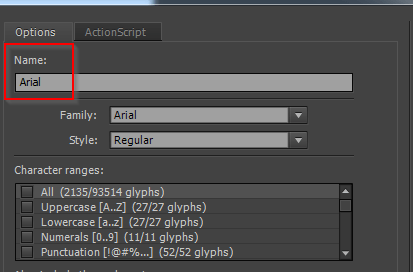
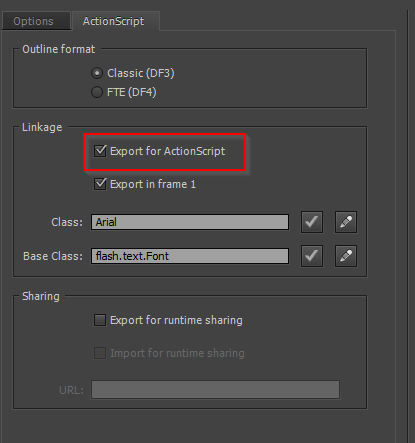
Follow these steps to create the embedded font file:

Third Party Software Installation:
WARNING:
The third-party product(s) discussed in this technical note is manufactured by vendors independent of Strategy. Strategy makes no warranty, express, implied or otherwise, regarding this product, including its performance or reliability.
