SYMPTOM:
Administrative users making modifications to a project configuration may see the following error message when attempting to save changes to the project configuration.
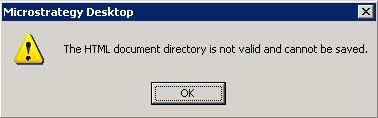
Sample Code/Error
The HTML document directory is not valid and cannot be saved.
This error message may be seen even if the user has not made any changes to the HTML document directory project configuration setting.
CAUSE:
This error message is indicating that the Strategy Desktop component is unable to access the location specified for the HTML document directory and would not be able to save the current change to the metadata. This error is displayed even if the user has not made any changes to the HTML document directory, but the current specified HTML document directory location is not inaccessible from the current Strategy Desktop machine.
ACTION:
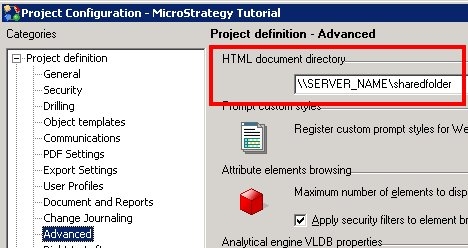
Users should specify a valid path to the location for the HTML document directory setting as shown below. Since this path must be accessible to the Strategy Developer client, the path to the HTML documents must be specified as a Microsoft Windows UNC location or a local hard drive path, even if the Intelligence Server is running on a Unix/Linux operating system platform.
In addition to the HTML document template files being in this specified location, appropriate permissions to read and edit the files must also be provided to the shared folder and the files therein. Users can check their access from the client machine by going to the "Start -> Run" menu and entering the same location into the dialog box. If this opens a folder that is readable for the user, then the same user should also be able to save the configuration on that machine.
To set up the Strategy Intelligence Server Universal on a Unix/Linux environment to access this HTML document location, users should refer to the Technical Note:
