Starting with Strategy Intelligence Server 9.0, it is possible for administrators to setup encryption of report caches which are saved to disk. The encryption level to save report caches can be low or high and can be set at the project level. A report cache file is encrypted when it is unloaded from memory to disk and it is decrypted when it is loaded from disk into memory.
Note: Since the process of encryption and decryption needs to take place, the time to load an unload caches is higher when cache files are encrypted.
The encryption level can be chosen from the Project Configuration editor from Caching > Storage, as shown below:
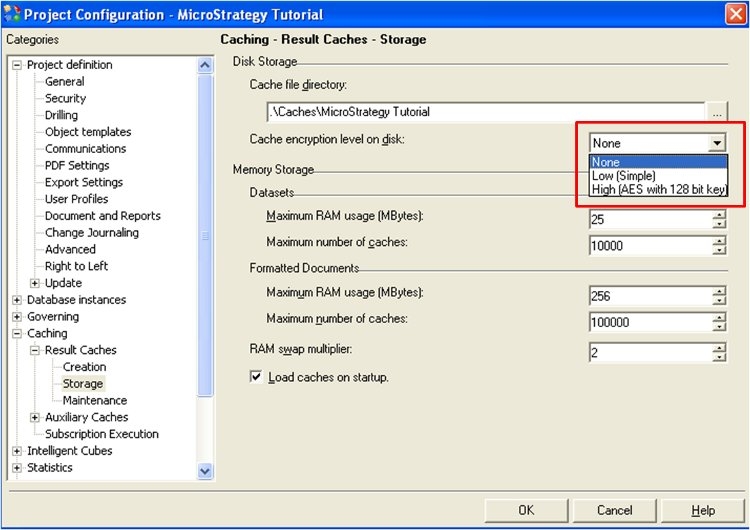
Three options are available for the cache encryption levels on disk.
After choosing the required level of encryption, it is needed to reload the project. It is not required to restart the Strategy Intelligence Server.
Note that Intelligent Cube caches are encrypted if this setting is being used. However, Document caches in formats such as PDF, Excel etc. are not encrypted since the encryption settings are only applicable to report and cube caches.
