In Strategy 9.x-10.x users have the ability to save their prompt answers. Users can store prompt answers and use them the next time they execute a report or define them as the default answer. Depending on the configuration of the prompt the user can store one or more prompts answers for use.
Users can access their prompt answers objects at My Personal Objects -> My Answers -> Prompt Answers. There users can rename or delete their prompt answers objects.
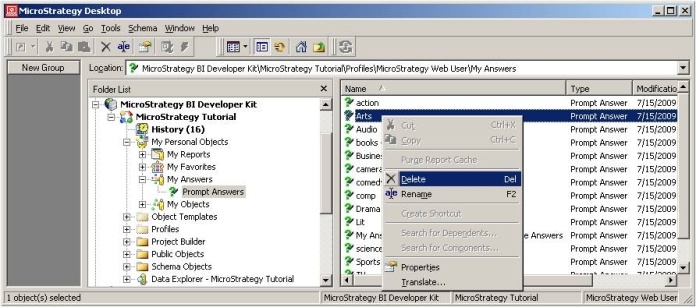
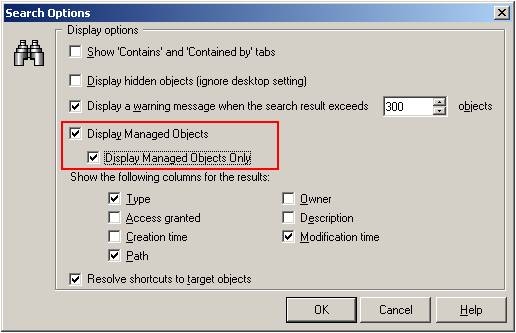
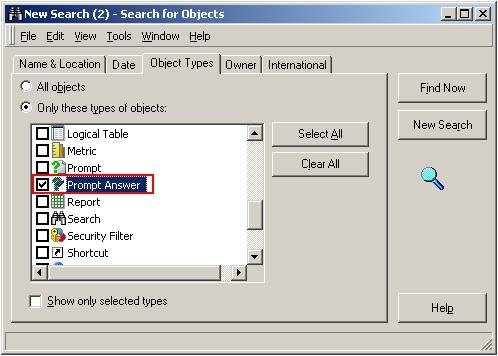
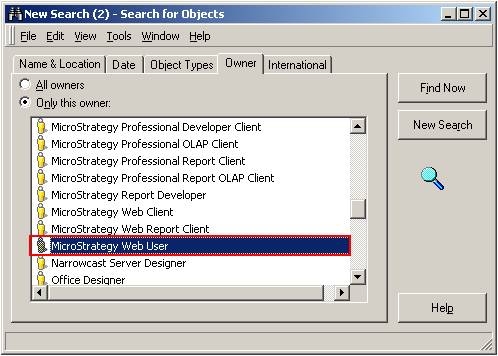
Administrators will notice that they do not have access to the prompt answers objects even if they go directly to the users profile folders. This is because the prompt answers objects are not stored in that location but in a special location managed by the system. If the administrator would like to manage the prompt answer objects for a specific user, they will need to follow the steps below:
31103
