In Development environment or when troubleshooting some issues with more diagnostics logging turned on, the administrator may need to keep more than one DSSErrors.log back up files.
In order to modify the maximum number of files to be backed up from DSSErrors.log, users should follow the steps below:
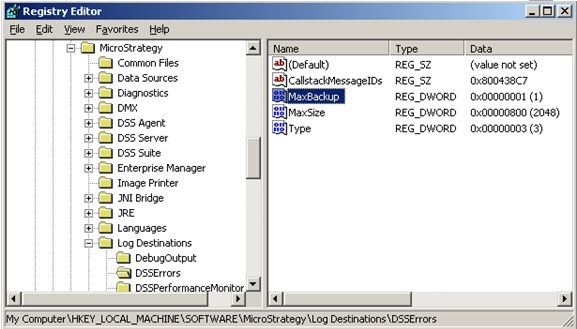
Modifying registry values incorrectly may cause serious, system-wide problems that may require the re-installation of Microsoft Windows NT. Any edit of the registry is done at the user's own risk. Since these are user-initiated changes, they are not covered by any MicroStrategy warranty. If using Microsoft Windows NT, the user should back up the registry and/or update an Emergency Repair Disk (ERD) prior to alterations.
