SYMPTOM:
In Strategy Web, information windows can be used to show additional information or objects when clicking on other objects. Selectors are one the objects that can also be used in information windows. In Strategy Web 10.x when scrolling through a list of elements in a drop-down selector located within an information window with a mouse scroll wheel, the information window disappears while the list or elements remains. The screenshots below show this behavior. Note that this issue occurs in all web browsers.
The document before scrolling through the list of elements with the mouse scroll wheel:

The document after scrolling through the list of elements with the mouse scroll wheel:

STEPS TO REPRODUCE:

CAUSE:
This is an identified defect in Strategy Web 10.x.
ACTION:
This issue has been addressed in Strategy Version 10.7 and 10.4 HF5. Please upgrade to take advantage of the fix.
WORKAROUND:
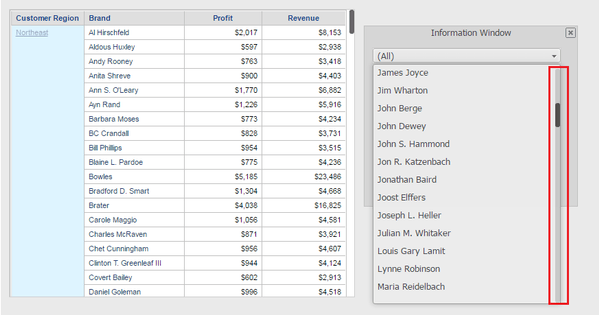
Manually use the scroll bar in the drop-down list as seen in the image below. Both the list of elements and the information window remain when manually dragging the scroll bar. The information window only disappears when scrolling through the list of elements with the mouse scroll wheel.