SYMPTOM:
A filtered attribute element list prompt appears empty when used inside a report mapped directly to an Intelligent Cube. The prompt is applied on top of an attribute that is part of the cube and shows correct behavior when used by normal reports, hitting the warehouse or an Intelligent Cubes by means of dynamic sourcing.
CAUSE:
The elements that define the filter used inside the prompt should also be part of the Intelligent cube. In the example below, an Intelligent Cube was created to contain the attribute Item and the metric Revenue.
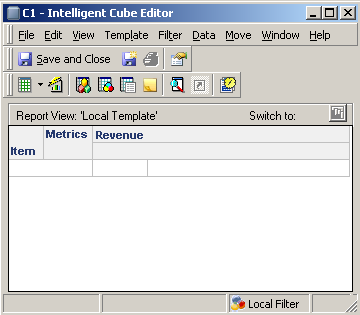
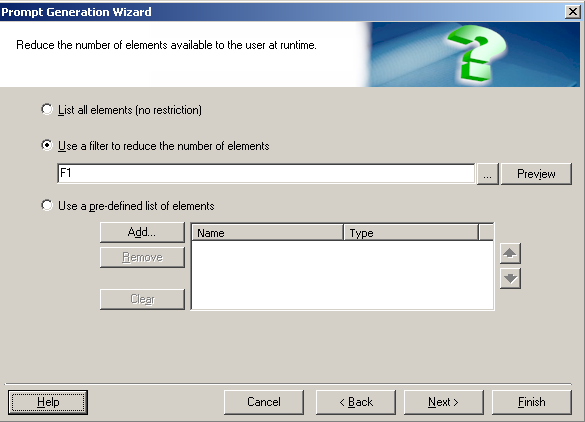
A report is created to point to this Intelligent Cube. An attribute element list prompt is added to choose Items with price is greater than 100. The F1 filter below filters Items with a price grater than 100.
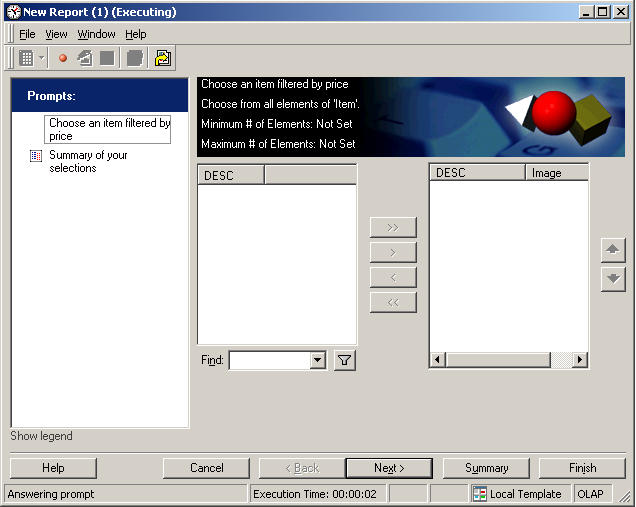
After executing the report, the element list appears empty
After checking the attribute "Item" the "Price" form did not form part of the cube, the filter could not be calculated properly.
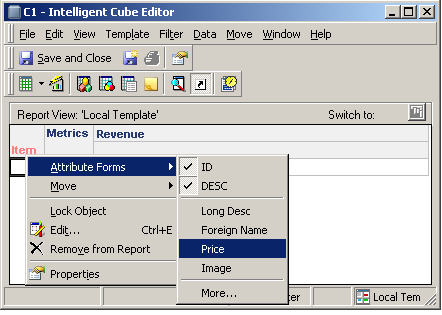
ACTION:
Include the necessary elements inside the cube and republish as prompts run against an Intelligent Cube can only show elements present in the Cube. The attribute element list will display correctly after this action is performed.
