SYMPTOM:
The SQL of a report generates an invalid qualification by evaluating on a constant "1" instead of the actual metric calculation. This results in a clause that will always return as false making the report return no data.
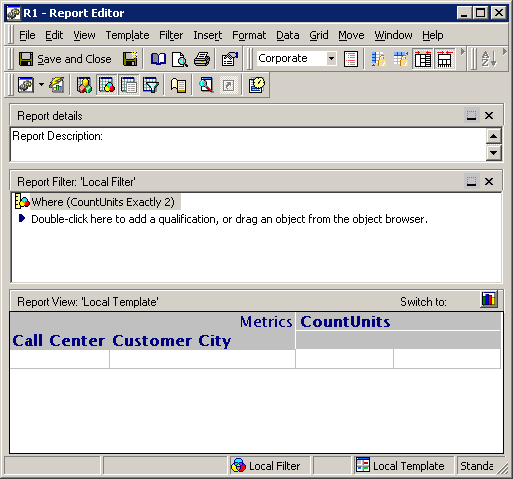
A report filter is defined as "M1 Greater than 3", where M1 is a metric with the definition Count(Units), as shown below:
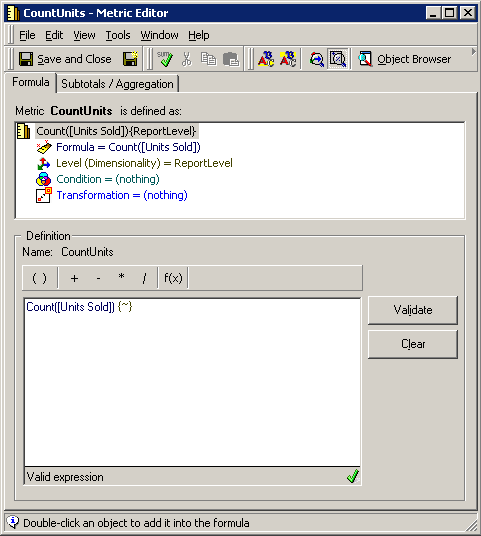
The metric definition is based on a Count of a fact.
The SQL of the report shows the evaluation is done incorrectly:
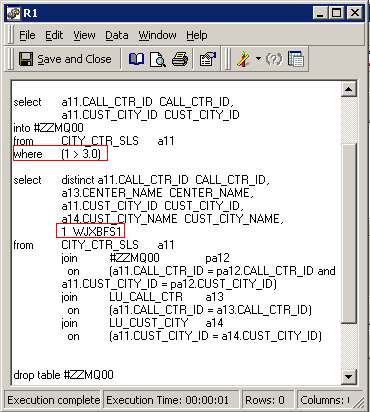
The evaluation includes an invalid "1>3" filter that will always be false, thus the report returns no data.
CAUSE:
The evaluation is substituted for a 1, as the metric is being calculated at the fact table level. Analyzing the fact table used for the calculation "CITY_CR_SLS" give us the information that the data is stored at the "Call Center" and "Customer City" level as shown below:
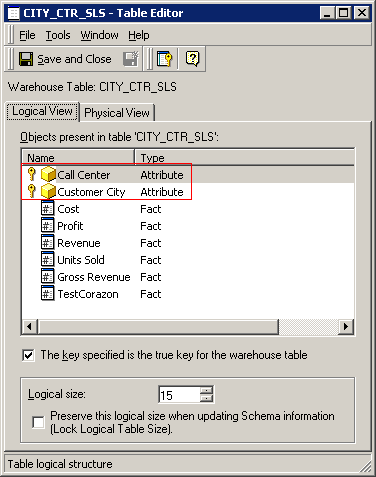
This two attributes are marked as keys for the table, this instructs the Strategy SQL engine that a combination of these two attributes will uniquely identify a row in the table. The two attributes in the table are the same two attributes in the report shown in the first image. If a row is unique then the "count" will always return a "1" as result. The engine tries to optimize the SQL avoiding a pointless calculation.
ACTION:
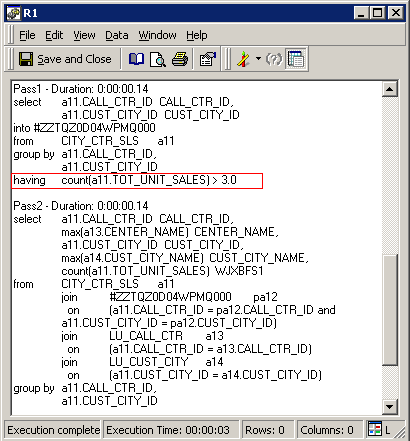
If a calculation is required as the table keys are not true keys then the data model needs to be mapped as such and the check box inside the logical table editor "The key specified is the true key for the warehouse table" should be unchecked.
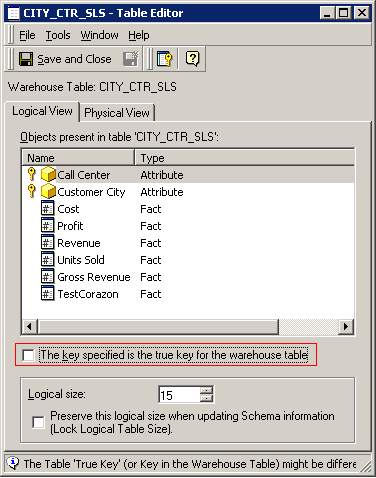
The SQL now calculates as if the table did not contain unique rows for the combination of the attributes marked as keys.