SYMPTOM:
Strategy License Manager 9.x and 10. can be used to update the license key on a Strategy installation. Refer to the following technical note for the steps to update the license key:
KB7985 (KB5800-721-0171): How to use License Manager to upgrade CD Key information in MicroStrategy 9.x
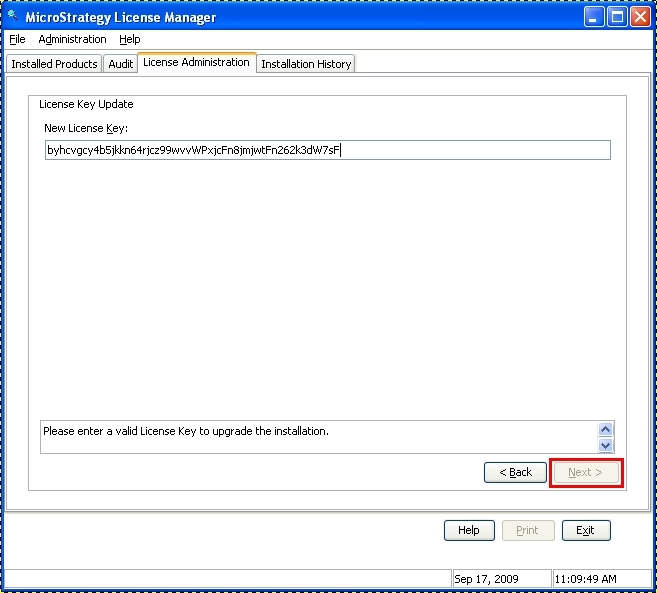
After entering the new license key, the Next button is disabled, grayed out, preventing the further action:
CAUSE:
The license key was either entered incorrectly or is for a different Strategy version than what is installed on the machine.
ACTION:
Verify that the license key was entered correctly and that the version specified in the email from Technical Support, containing the license key, matches the currently installed Strategy version. Ensure no blank spaces precede the key or it has trailing spaces following copying the license key.
If necessary, contact Strategy Technical Support for confirmation of the license key version, or to request a license key for a different Strategy version.
