SYMPTOM:
After using an object alias to change an object name in Strategy Web 9.0.0, users notice that the object name in the report detail section still remains the original object name.
STEPS TO REPRODUCE:
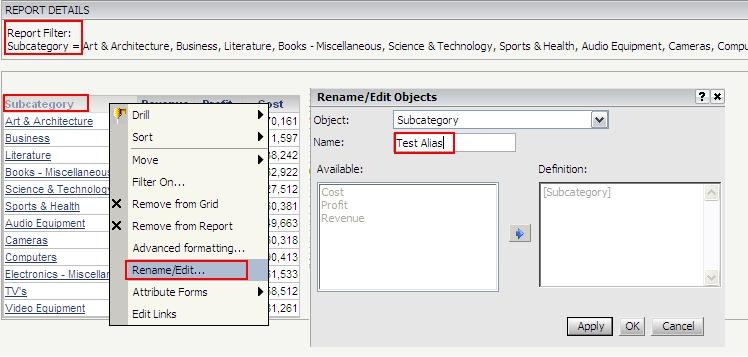
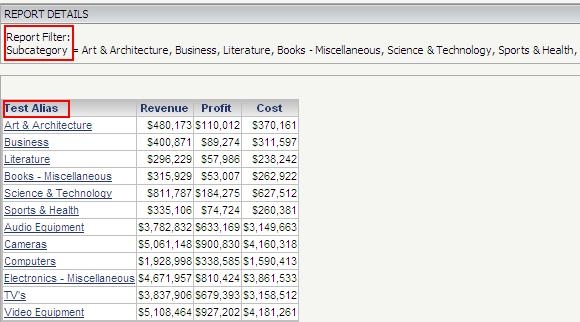
CAUSE:
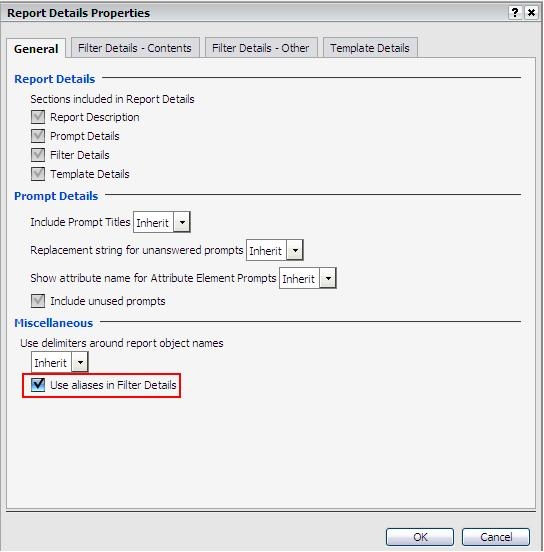
This issue is caused by the 'Use aliases in Filter Details' property under the Report Details properties. This option is not enabled by default.
ACTION:
Go to Format -> Report Details Properties and enable 'Use aliases in Filter Details'
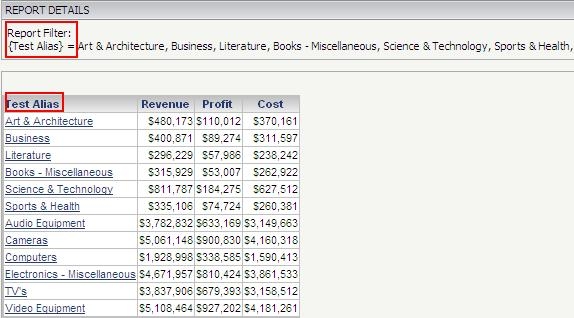
The Report Filter should now display the alias name:
NOTE:
This feature requires 'Web define advanced report options' privilege, which is a Web Professional level privilege.
