Follow the steps below to configure a specific SMTP server for use by Smart Host in Strategy Distribution Services:
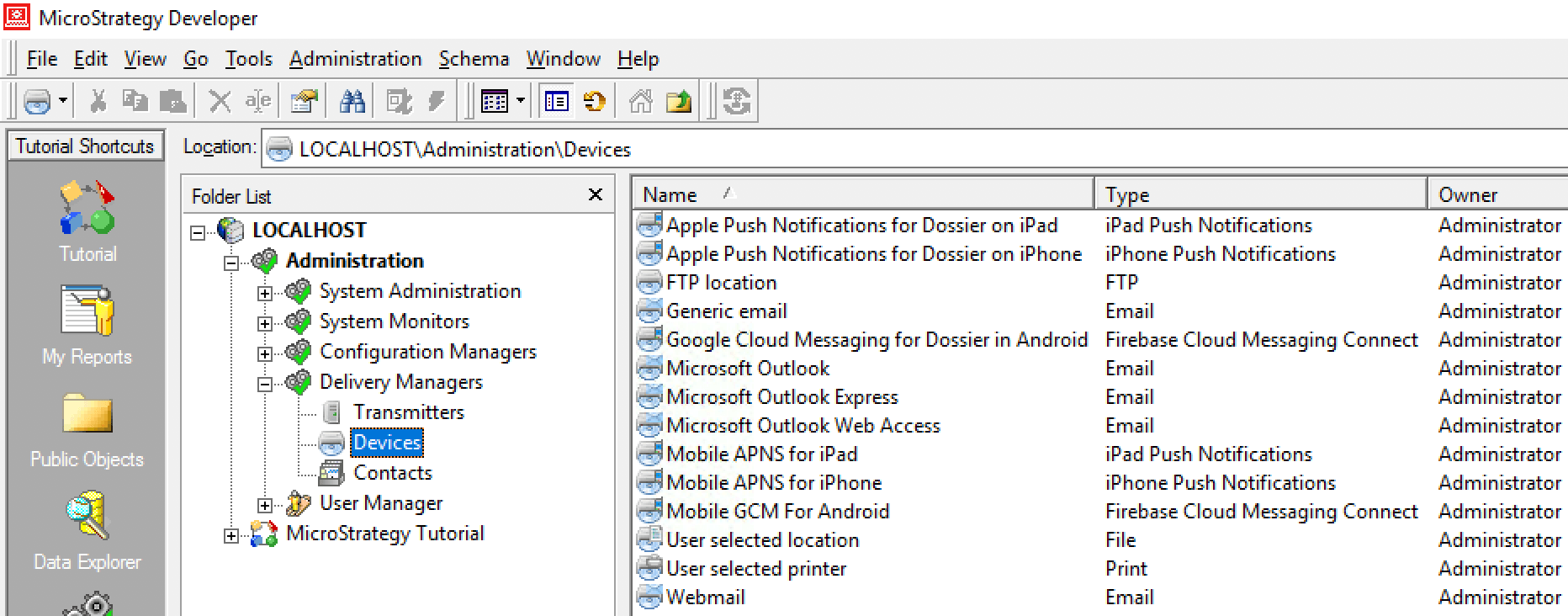
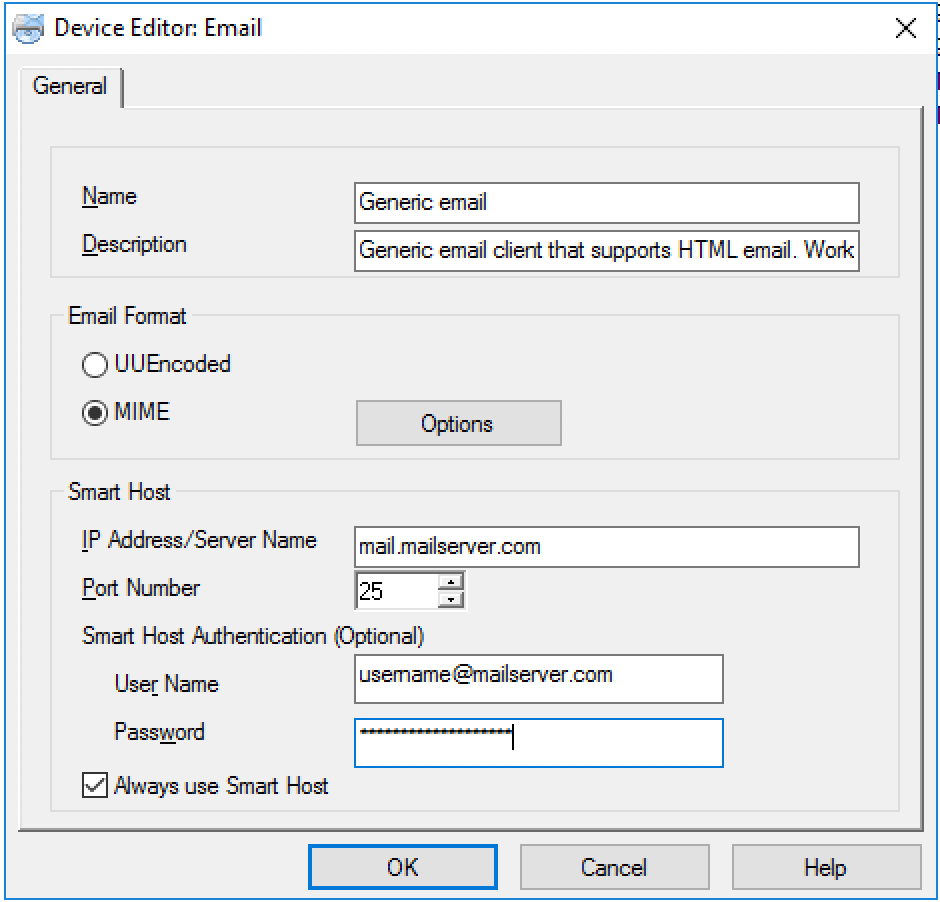
If you want to use anonymous authentication mode for Smart Host, you can add a SMTP server IP with its port number which enables TLS. Make sure the SMTP server is already using anonymous authentication mode before you continue!
Configure the email device, as shown in the following screenshot, and create a physical address using this email device. Set this address as the recipient’s address and send an email subscription to this address. An email should be received.
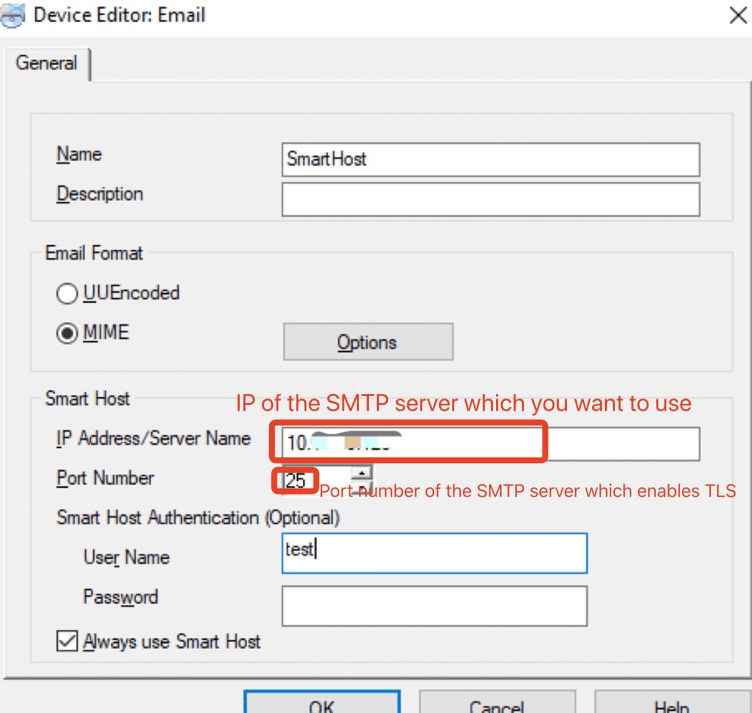
As long as the User Name field is not empty (enter any text as you like), TLS is used.
If the User Name field is empty, TLS will not be used.
