SYMPTOM:
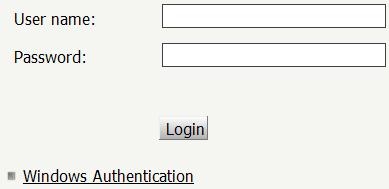
User configured Windows Authentication as default in Strategy Web. After logging for the first time, the user is logged into Strategy Web seamlessly using Windows authentication. After log out or session time out, the login page is shown requesting user name and password as shown in the next screenshot:
CAUSE:
The Web Administration setting "Show login page after user logout" is enabled.
ACTION:
Follow the next steps to disable this setting:

After making this change, the user will not be presented with the login page after log out or lost session.
31601
