SYMPTOM:
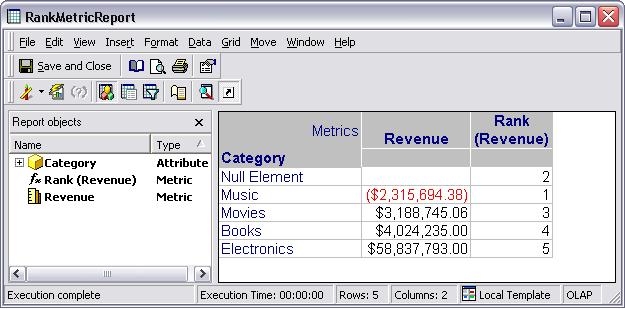
Consider a scenario in which a derived metric with a Rank function needs to be created. If null values are present on the data to be ranked, the Rank metric will consider null values as zeros and assign them a ranking value accordingly as shown in the image below:
CAUSE:
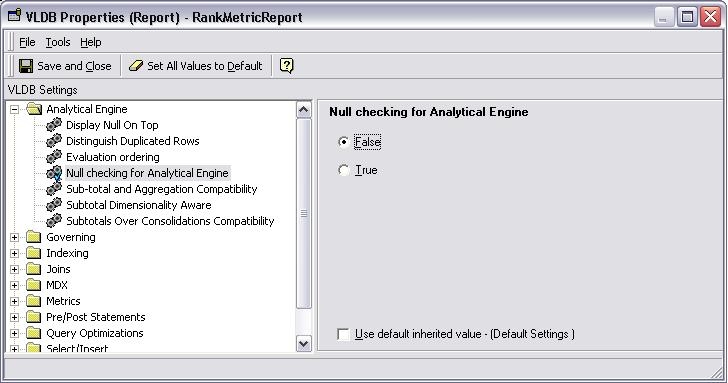
When set to ‘True’ the ‘Null Checking for Analytical Engine” VLDB property selects to treat the Null values as zeros for analytical engine calculations. Setting the property to false will cause the analytical engine to treat the nulls as nulls and ignore them in the Ranking calculation.
ACTION:
In order to ignore null values when Ranking in the analytical engine, users can change the VLDB property ‘Null Checking for Analytical Engine’ to false.
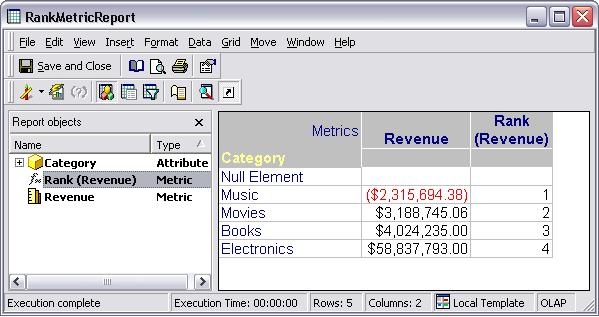
After this change is done, the ranking will change to display the following values