EducationSoftwareStrategy.com
StrategyCommunity

Knowledge Base

Product

Community

Knowledge Base

TopicsBrowse ArticlesDeveloper Zone

Product

Download SoftwareProduct DocumentationSecurity Hub

Education

Tutorial VideosSolution GalleryEducation courses

Community

GuidelinesGrandmastersEvents
x_social-icon_white.svglinkedin_social-icon_white.svg
Strategy logoCommunity

© Strategy Inc. All Rights Reserved.

LegalTerms of UsePrivacy Policy
  1. Home
  2. Topics

KB31692: How to set incremental fetch on individual Grid objects in a Document


Alejandro Olvera Velasco

Product Manager, Principal • MicroStrategy


Description

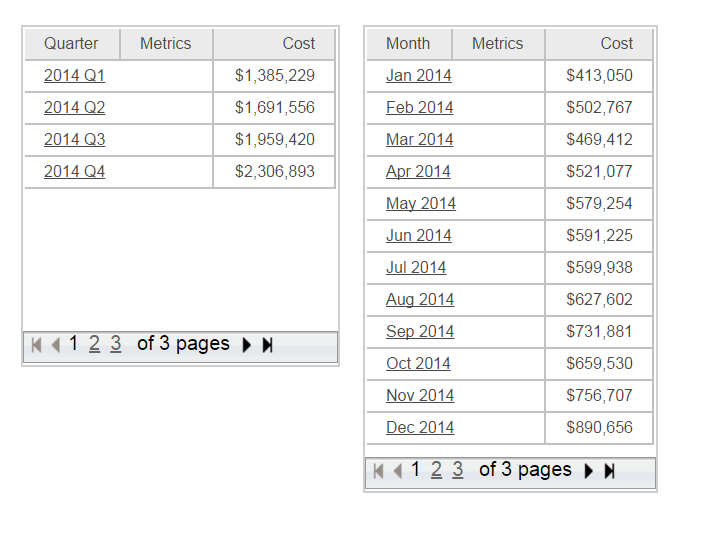
In Strategy Web, users can enable incremental fetch, as well as set the value for rows initially returned for grid objects in a document, as shown in the following screenshot:
 

ka02R000000g2WNQAY_0EM440000002Hj4.png

This is a useful feature to improve the performance and initial load time of documents with large amounts of data. While the incremental fetch setting is defined at the document level (and therefore across all grids within the document), this property can also be set at the individual grid object level.
 

How-to steps

  1. Right mouse-click on a grid object choose "Properties and Formatting".
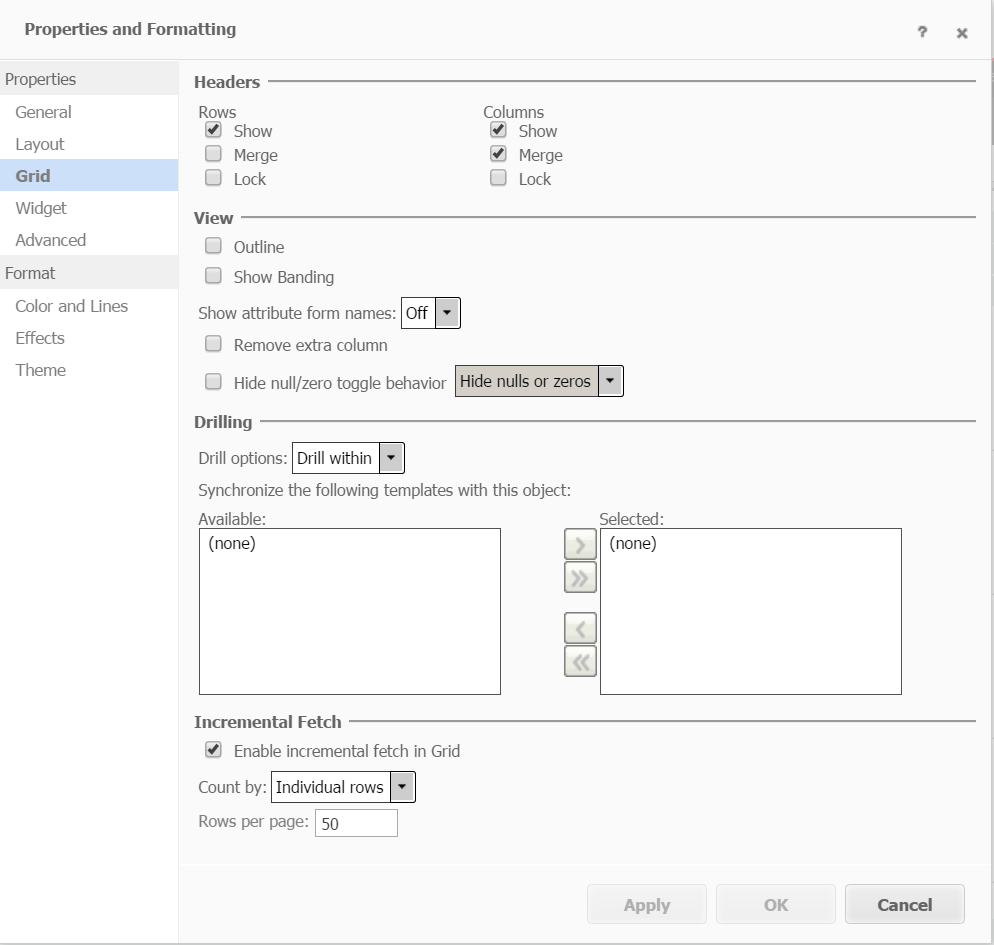
  2. In the expanded Properties and Formatting windows, go to Grid, enable "Enable incremental fetch in grid" and set the value as desired.


ka02R000000g2WNQAY_0EM440000002Hj9.png


  1. Click Apply and then OK.
  2. Repeat this for each grid in your document, setting the value based on your requirements.

Comment

0 comments

Details

Knowledge Article

Published:

April 3, 2017

Last Updated:

April 3, 2017