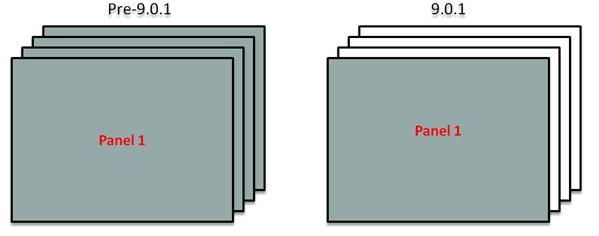
In Strategy Web and Web Universal, incremental or on-demand loading of panel stacks is available for all Web DHTML View Modes. This new feature will give the document creator control of how and when the data in panels is loaded. The panel stacks defined in a Report Services document can be configured to load data on all panels of all panel stacks or just the currently displayed panel of all panel stacks.
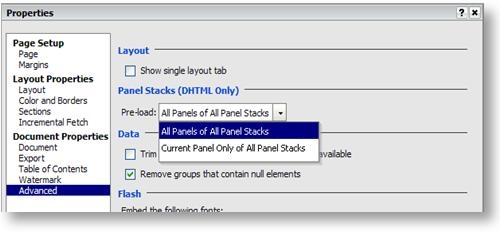
It is possible to define this setting at the document level so it will apply to all panel stacks:
Or it can be defined per panel stack:
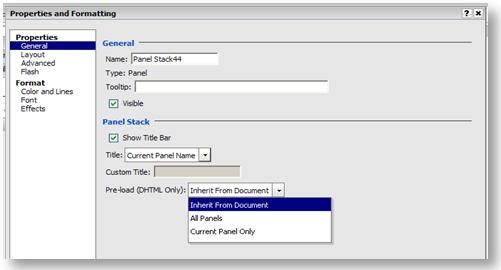
Which setting to use will depend on the specific document requirements as each option has its advantages. For example, if the option is set to 'All Panels of All Panel Stacks', all panels will load at once so although initial load time will be longer, switching between the panels in the panel stack will be instantaneous.
If the option is set to 'Current Panel Only of All Panel Stacks' then less amount of processing time and memory usage will be required to load only the data necessary to populate the panels that are currently visible. This setting can have a positive impact on the performance when running Report Services documents in Strategy Web. When switching to other panels, users will see a small progress bar while the contents of the next panel is being loaded in the background. However, when switching back to a previously viewed panel it will be instantaneous.
Note: This feature will only change the way in which Strategy Web will request the data. The Report Services document will be executed and caches created as normal on the Intelligence Server regardless of this status of this new setting.
