SYMPTOM:
When attempting to access Strategy Web 9.x in a Windows environment, a user receives the following error message:
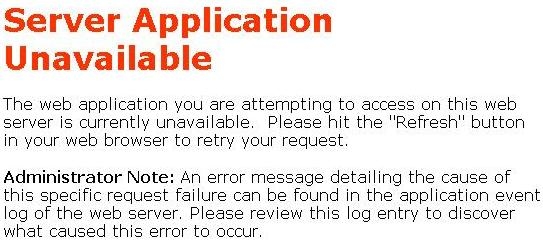
Server Application Unavailable
The web application you are attempting to access on this web server is currently unavailable. Please hit the `Refresh` button in your web browser to retry your request.
Administrator Note: An error message detailing the cause of this specific request failure can be found in the system event log of the web server. Please review this log entry to discover what caused this error to occur.
Additionally, the Event Viewer Application log on the Web Server reveals the following two messages:
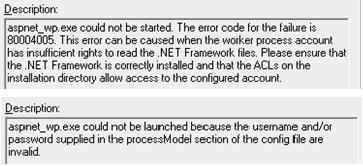
aspnet_wp.exe could not be started. The error code for the failure is 80004005. This error can be caused when the worker process account has insufficient rights to read the .NET Framework files. Please ensure that the .NET Framework is correctly installed and that the ACLs on the installation directory allow access to the configured account.
aspnet_wp.exe could not be launched because the username and/or password supplied in the processModel section of the config file are invalid.
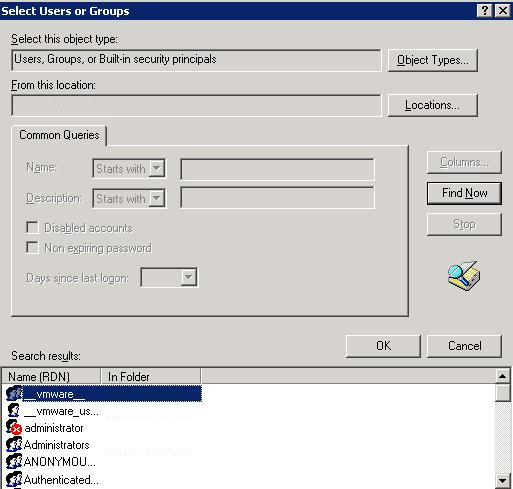
In the effort to remedy the issue, the user may attempt to add the ASPNET user account with Full Control permissions to the Web ASPx directory under the Strategy installation on the Web Server machine. However, the ASPNET user will not be found on the machine, even when the .NET Framework is installed:
CAUSE:
The ASPNET user account is required to drive the aspnet_wp.exe process, which in turn is required by IIS to run Strategy Web. Because the ASPNET user is missing, the application cannot run.
A possible cause of a missing ASPNET user is a faulty installation of the Microsoft .NET framework.
ACTION:
The .NET framework should be completely uninstalled and reinstalled. Simply repairing the Microsoft .NET framework being used is not enough.
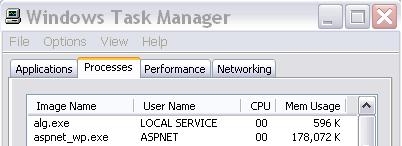
After performing a fresh installation of the Microsoft .NET framework, users should notice that the aspnet_wp.exe process is running as expected:
The ASPNET user should also be available when setting ACL permissions:
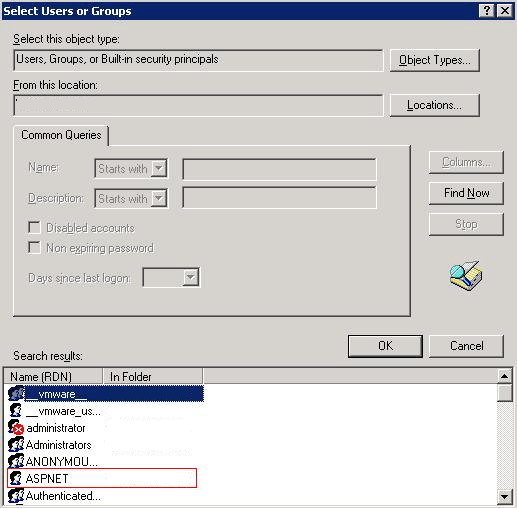
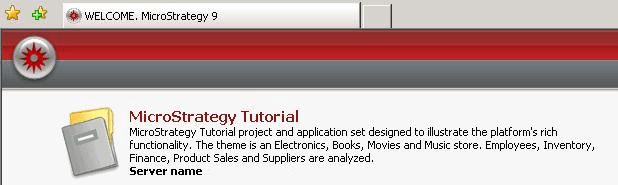
After ensuring the ASPNET user has full control over the Strategy Web directory, the interface should load properly:
Third Party Software Installation WARNING
The third-party product(s) discussed in this technical note is manufactured by vendors independent of Strategy. Strategy makes no warranty, express, implied or otherwise, regarding this product, including its performance or reliability.
