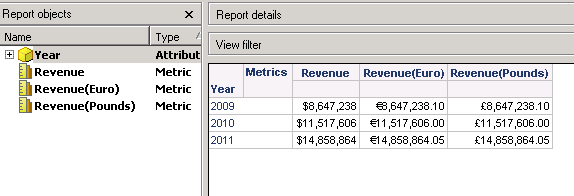
In the Strategy Developer 10.x Report Editor, the only available currency symbol is the dollar sign. Sometimes, it may be necessary to display the Euro sign in the formatting of a report without changing the Regional Settings. For instance, in cases in which the project needs to use different currencies.
One possible way to achieve this is to input the euro sign in the report formatting menu manually using ALT + 0128
Below screenshot shows multi currentcy symbols exists within one report: