EducationSoftwareStrategy.com
StrategyCommunity

Knowledge Base

Product

Community

Knowledge Base

TopicsBrowse ArticlesDeveloper Zone

Product

Download SoftwareProduct DocumentationSecurity Hub

Education

Tutorial VideosSolution GalleryEducation courses

Community

GuidelinesGrandmastersEvents
x_social-icon_white.svglinkedin_social-icon_white.svg
Strategy logoCommunity

© Strategy Inc. All Rights Reserved.

LegalTerms of UsePrivacy Policy
  1. Home
  2. Topics

KB31792: A report with browsing to All Objects disabled shows All Objects in the object browser area if it is opened immediately after a report that does allow browsing to All Objects in MicroStrategy Web 9.x


Community Admin

• Strategy


A report with browsing to All Objects disabled shows All Objects in the object browser area if it is opened immediately after a report that does allow browsing to All Objects in MicroStrategy Web 9.x

SYMPTOM:
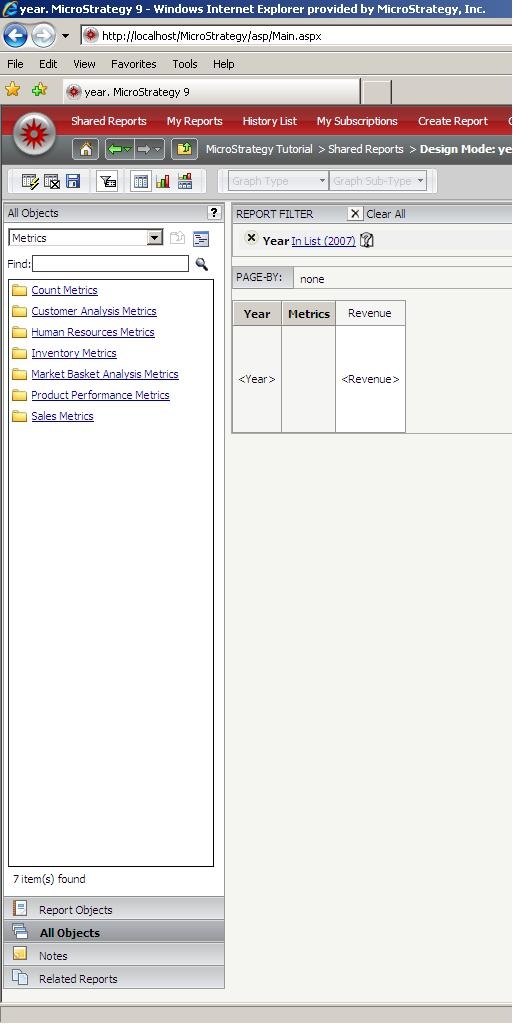
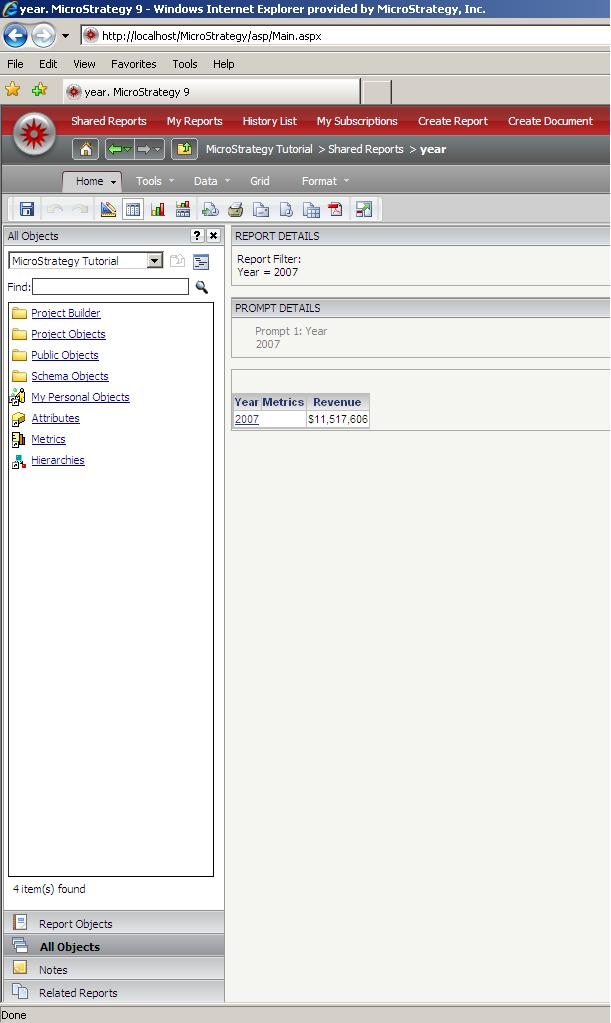
The All Objects section of the object browser for a report with this limited in Strategy Web 9.x displays all objects instead of the designated folder when the report is opened after a report that allows browsing to All Objects.
 
The report displays the following:
 

ka04W000000OdSIQA0_0EM4400000028AP.jpeg

 
It should display like this:
 

ka04W000000OdSIQA0_0EM4400000028AS.jpeg

 
This happens only when opening the report after opening another report that was open to All Objects that has browsing allowed.
 
CAUSE:
This is caused by an inconsistency in the installation of the Web Server.
 
ACTION:
Reinstall the Web Server.


Comment

0 comments

Details

Knowledge Article

Published:

June 21, 2017

Last Updated:

June 21, 2017