EducationSoftwareStrategy.com
StrategyCommunity

Knowledge Base

Product

Community

Knowledge Base

TopicsBrowse ArticlesDeveloper Zone

Product

Download SoftwareProduct DocumentationSecurity Hub

Education

Tutorial VideosSolution GalleryEducation courses

Community

GuidelinesGrandmastersEvents
x_social-icon_white.svglinkedin_social-icon_white.svg
Strategy logoCommunity

© Strategy Inc. All Rights Reserved.

LegalTerms of UsePrivacy Policy
  1. Home
  2. Topics

KB31799: How to remove the "Layout" tab in a Report Services Document in MicroStrategy Web 10.x


Community Admin

• Strategy


SYMPTOM 
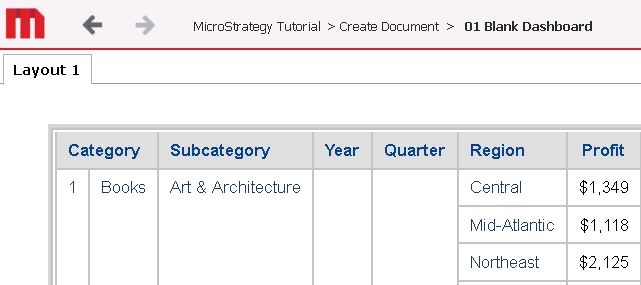
In Strategy Web 10.x, when using report services documents, there is a 'Layout' tab on top of the document even when there is only one layout in document, as shown below:
ka04W000000OdYVQA0_0EM440000002JMQ.jpeg

 
ACTION:
To remove the tab from being visible, follow these steps:
  • Go to design mode for the document where the 'Layout' tab is no longer desired and under the 'Tools' tab, select the 'Document Properties' option:
     
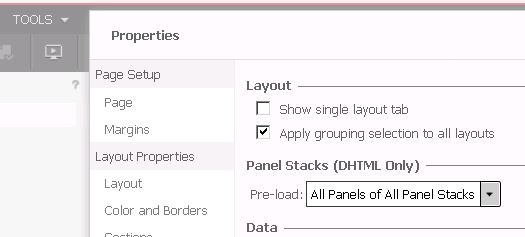
  • A new window will open. Select the 'Advanced' section under 'Document Properties' on the left pane, and make sure to uncheck the option for 'Show single layout tab' under the 'Layout' section as shown below:
ka04W000000OdYVQA0_0EM440000002JMV.jpeg
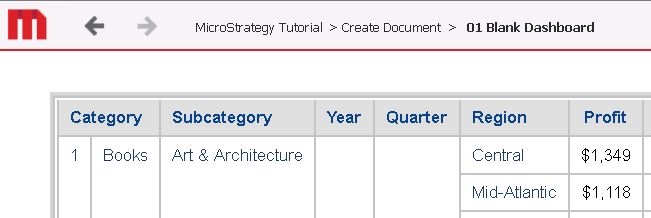
  • Once the option is unchecked, click on the 'Apply' button. The user will now notice that the 'Layout' tab has been removed from view in all document modes:
ka04W000000OdYVQA0_0EM440000002JMa.jpeg

 
 Note: This option is set on an individual document level. 


Comment

0 comments

Details

Knowledge Article

Published:

April 12, 2017

Last Updated:

April 12, 2017