EducationSoftwareStrategy.com
StrategyCommunity

Knowledge Base

Product

Community

Knowledge Base

TopicsBrowse ArticlesDeveloper Zone

Product

Download SoftwareProduct DocumentationSecurity Hub

Education

Tutorial VideosSolution GalleryEducation courses

Community

GuidelinesGrandmastersEvents
x_social-icon_white.svglinkedin_social-icon_white.svg
Strategy logoCommunity

© Strategy Inc. All Rights Reserved.

LegalTerms of UsePrivacy Policy
  1. Home
  2. Topics

KB31868: How to create Statistics Tables in MicroStrategy 9.x


Community Admin

• Strategy


This Knowledge Base document describes how to create Statistics Tables in MicroStrategy 9.x

Statistics Tables contain data of the Strategy system's usage (Performance Monitors, Distribution Services, Prompt Answers, Object Usage, Reports and Documents execution among others) which can be used later for monitoring and analysis purposes through Enterprise Manager. The following procedure describes how to create a Statistics Tables shell with Configuration Wizard on Strategy 9.x:
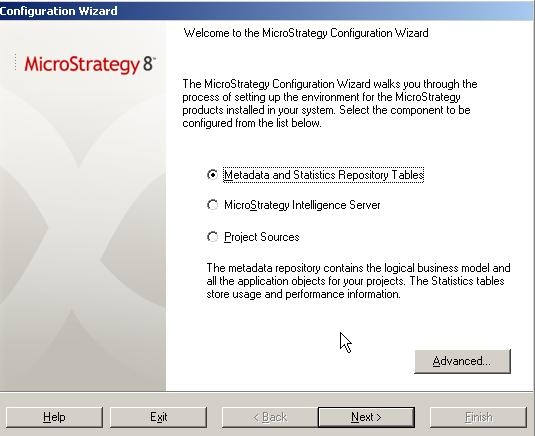
 

  • Go to Start > Strategy > Configuration Wizard > Select first option, "Metadata, History List and Statistics Repository Tables"
ka04W000000OfVnQAK_0EM440000002AwI.jpeg
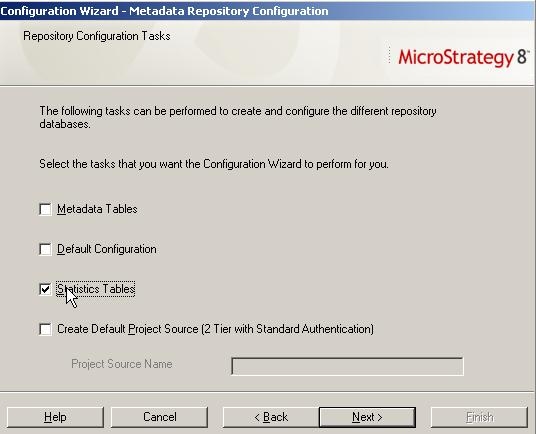
  • Click Next and select "Statistics Tables". Go to the next window.
ka04W000000OfVnQAK_0EM440000002AwJ.jpeg
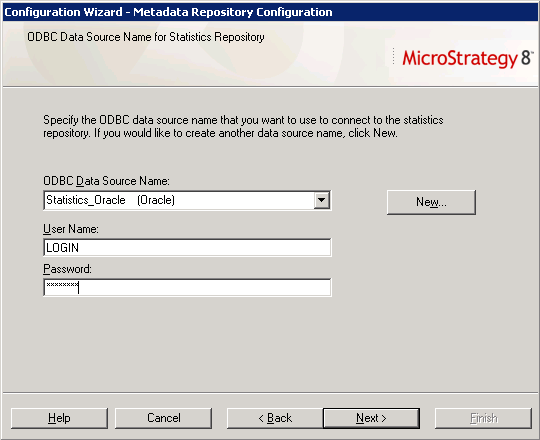
  • Select the DSN for the Statistics Tables repository. This database can not be in Access since Access is not a supported database for Enterprise Manager. (Supported platforms are SQL Server, Oracle, DB2, Teradata)
ka04W000000OfVnQAK_0EM440000002AwG.png
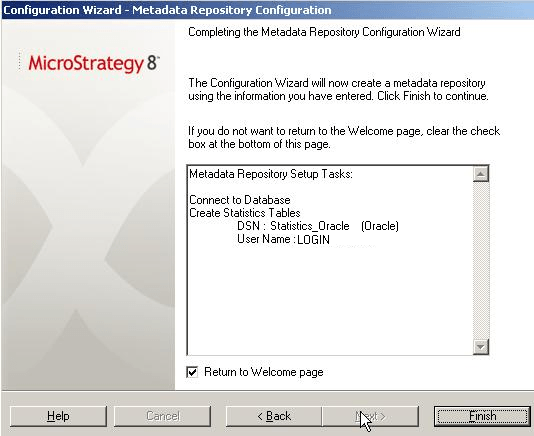
  • Click Next to view the summary information of this Statistics.
     
ka04W000000OfVnQAK_0EM440000002AwH.png
  • Click Finish to create the Statistics Tables.  


Comment

0 comments

Details

Knowledge Article

Published:

March 31, 2017

Last Updated:

March 31, 2017