EducationSoftwareStrategy.com
StrategyCommunity

Knowledge Base

Product

Community

Knowledge Base

TopicsBrowse ArticlesDeveloper Zone

Product

Download SoftwareProduct DocumentationSecurity Hub

Education

Tutorial VideosSolution GalleryEducation courses

Community

GuidelinesGrandmastersEvents
x_social-icon_white.svglinkedin_social-icon_white.svg
Strategy logoCommunity

© Strategy Inc. All Rights Reserved.

LegalTerms of UsePrivacy Policy
  1. Home
  2. Topics

KB318730: History List type Subscriptions getting deleted when History List message Expires in MicroStrategy Intelligence Server 10.1


Community Admin

• Strategy


When a History List message gets expired due to 'History List Message Lifetime' setting, the subscriptions that publish Intelligent Cubes associated with that History List Message get deleted in MicroStrategy Intelligence Server 10.1.This behavior has only been seen with History List subscriptions that publish Intelligent Cubes and not in all History List subscriptions

SYMPTOM:
When a History List message gets expired due to 'History List Message Lifetime' setting, the subscriptions that publish Intelligent Cubes associated with that History List Message get deleted in Strategy Intelligence Server 10.1.This behavior has only been seen with History List subscriptions that publish Intelligent Cubes and not in all History List subscriptions
 
STEPS TO REPRODUCE:
Follow the steps below to reproduce this issue using the Strategy Tutorial project:

  1. User sends a report to history.
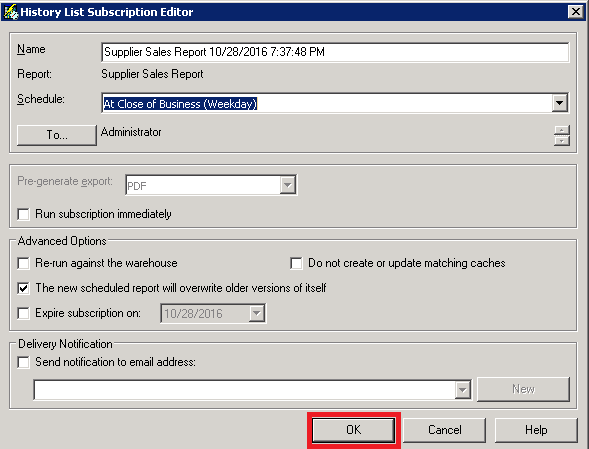
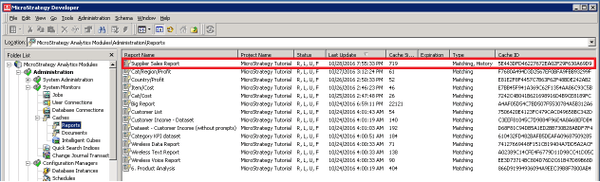
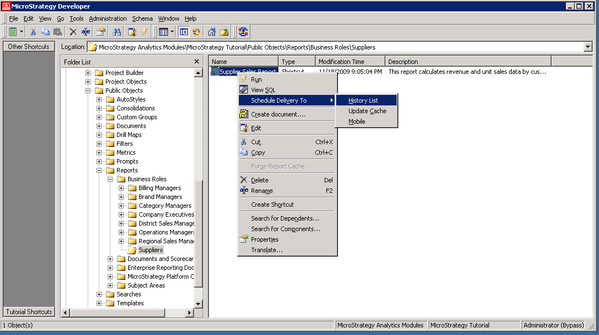
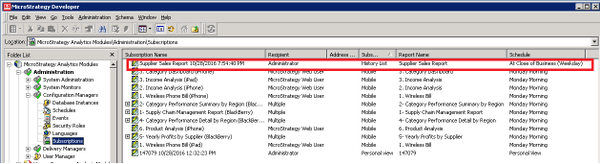
  2. Create a subscription based on the History.

    Right Click on the report, select “Schedule Delivery To > History List shown below:
   

ka04W000000OhlJQAS_0EM440000002HEC.jpeg


ka04W000000OhlJQAS_0EM440000002HDw.jpeg

   
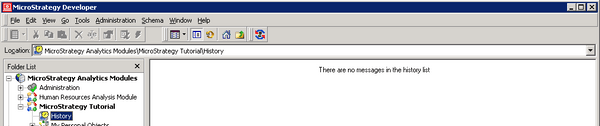
    Strategy Tutorial > History List
   

ka04W000000OhlJQAS_0EM440000002HE9.jpeg

   
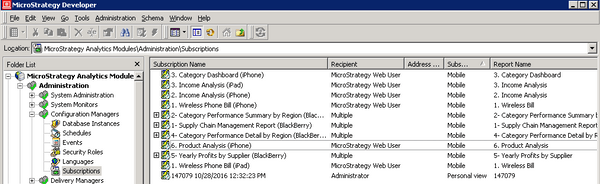
    Administration > Configuration Managers>Subscriptions
   

ka04W000000OhlJQAS_0EM440000002HED.jpeg

 
    Administration > System Monitors > Cache > Reports
   

ka04W000000OhlJQAS_0EM440000002HE8.jpeg


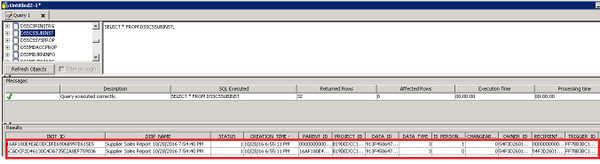
3. Launch the DB Query tool and check the new subscription entries in the subscriptions table
   

ka04W000000OhlJQAS_0EM440000002HEE.jpeg

   
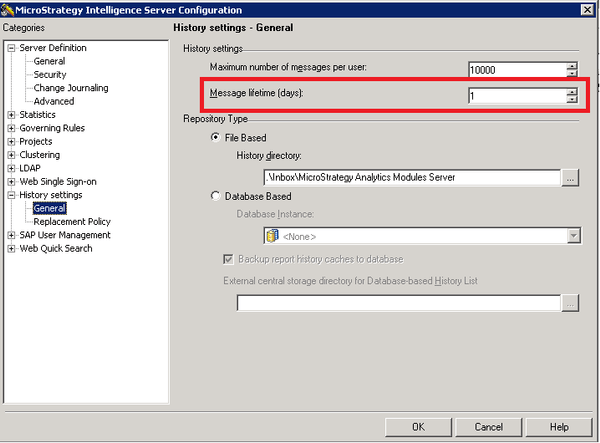
4. When "Message Lifetime (Days)" which is set at the Strategy Intelligence Server configuration level to 1 day (as seen below) is reached, all History List messages older than 1 day would be deleted and their associated subscriptions will be deleted as well.
    

ka04W000000OhlJQAS_0EM440000002HE7.jpeg


  1. The History List and the associated subscription shown in the step 2 has been deleted as shown below:

     Strategy Tutorial > History List

     

ka04W000000OhlJQAS_0EM440000002HEA.jpeg

 
     Administration > Configuration Managers>Subscriptions
    

ka04W000000OhlJQAS_0EM440000002HDx.jpeg

 
CAUSE:
All History List messages older than the 'Message Lifetime' setting are deleted when this setting kicks in. Their associated Subscriptions that publish Intelligent Cubes are also deleted.
 
WORKAROUND:
In order to avoid this symptom, for refreshing Intelligent Cubes we recommend to use an Intelligent Cube refresh subscription for the Intelligent Cube instead of History List.


Comment

0 comments

Details

Knowledge Article

Published:

April 15, 2017

Last Updated:

April 15, 2017