EducationSoftwareStrategy.com
StrategyCommunity

Knowledge Base

Product

Community

Knowledge Base

TopicsBrowse ArticlesDeveloper Zone

Product

Download SoftwareProduct DocumentationSecurity Hub

Education

Tutorial VideosSolution GalleryEducation courses

Community

GuidelinesGrandmastersEvents
x_social-icon_white.svglinkedin_social-icon_white.svg
Strategy logoCommunity

© Strategy Inc. All Rights Reserved.

LegalTerms of UsePrivacy Policy
  1. Home
  2. Topics

KB31874: "Query engine encountered error... System call error. Error communicating with connection process. Process hung" error occurs when loading an element list prompt in MicroStrategy Desktop


Stefan Zepeda

Salesforce Solutions Architect • Strategy


Article outlines a reason why the error "Query engine encountered error... System call error. Error communicating with connection process. Process hung" error occurs when loading an element list prompt in MicroStrategy Desktop against a Teradata warehouse

SYMPTOM:
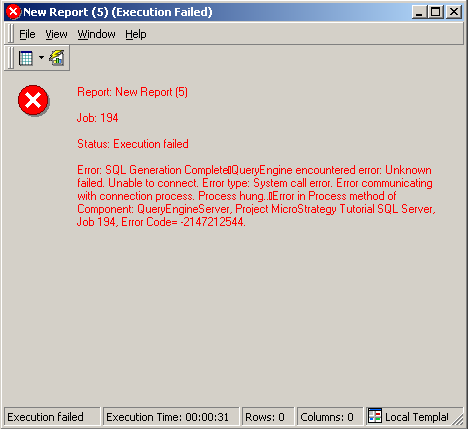
When executing a report against a Teradata warehouse in Strategy Desktop, the following error may occur:
 

ka02R000000kY8kQAE_0EM440000002EGU.jpeg


Sample Code/Error
QueryEngine encountered error: Unknown failed. Unable to connect. Error type: System call error. Error communicating with connection process. Process hung.. Error in Process method of Component: QueryEngineServer, Project, Job 161307, Error Code= -2147212544.
 
 
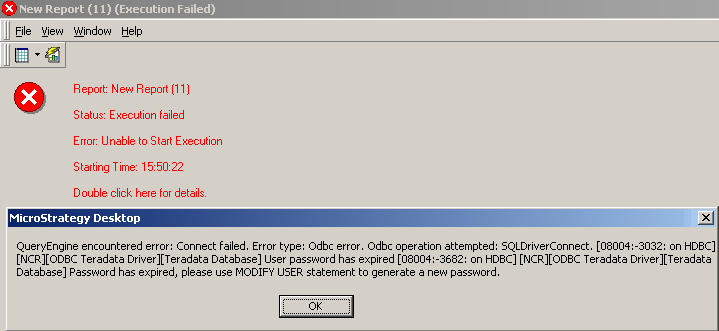
When running the report in 2-tier, the following error occurs:
 

ka02R000000kY8kQAE_0EM440000002EGH.jpeg

 
Sample Code/Error
QueryEngine encountered error: Connect failed. Error type: Odbc error. Odbc operation attempted: SQLDriverConnect. User password has expired Password has expired, please use MODIFY USER statement to generate a new password.
 
NOTE: If 2-tier works but 3-tier fails, connection mapping could be configured for the user.
 
 
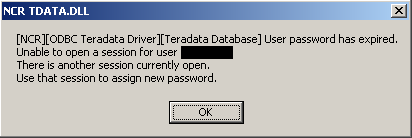
Also, when logging into the database directly as the database login user using a native database tool, the following error occurs:
 

ka02R000000kY8kQAE_0EM440000002EGG.jpeg

 
Sample Code/Error
User password has expired
Unable to open a session for user .
There is another session currently open.
Use that session to assign a new password.
 
 
CAUSE:
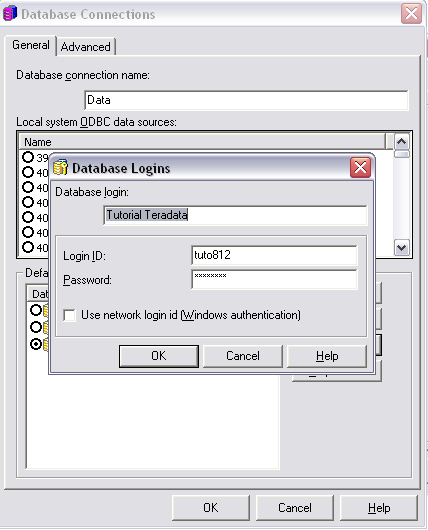
The report was unable to return from the database because the password for the database login expired.
 

ka02R000000kY8kQAE_0EM440000002EGX.jpeg

 
If connection mapping is configured, the password for the database login object specified for the user could have expired.  
 
ACTION:
Perform either of the following actions to resolve the issue:

  1. Contact the Database Administrator to reset the password for the database user specified in the database login.
  2. Edit the database login object and specify the new password.


Comment

0 comments

Details

Knowledge Article

Published:

June 10, 2017

Last Updated:

June 10, 2017