SYMPTOM
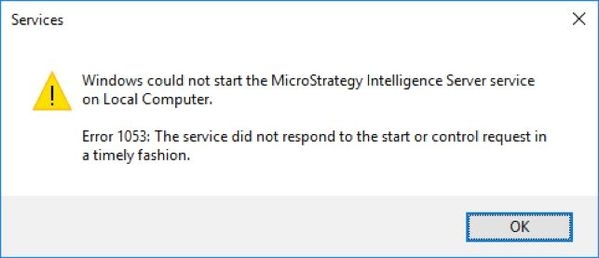
When attempting to start Strategy Intelligence Server 10.6 on Windows 10 machines that include Feature Pack 1607, the "Anniversary Update", the following error is displayed as soon as the service is attempted to be started:
Windows could not start the Strategy Intelligence Server service
on Local Computer.
Error 1053: The service did not respond to the start or control request in
a timely fashion
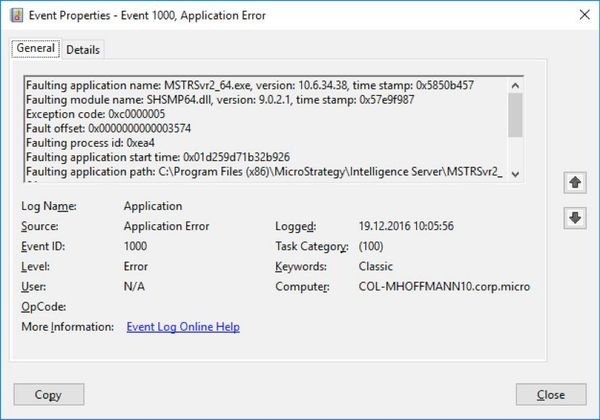
Upon checking Windows Event Viewer, a more detailed message can be seen, linking the failure to the dynamic library SHSMP64.dll:
Application Error
Faulting application name: MSTRSvr2_64.exe, version: 10.6.34.38, time stamp: 0x5850b457
Faulting module name: SHSMP64.dll, version: 9.0.2.1, time stamp: 0x57e9f987
Exception code: 0xc0000005
Fault offset: 0x0000000000003574
Faulting process id: 0x363c
Faulting application start time: 0x01d259f60b719146
Faulting application path: C:\Program Files (x86)\MicroStrategy\Intelligence Server\MSTRSvr2_64.exe
Faulting module path: C:\Program Files (x86)\Common Files\MicroStrategy\SHSMP64.dll
Report Id: d3601b5c-3b64-46a3-97b3-8cce934b651b
CAUSE
The issue is caused by an issue in Windows 10 Feature Pack 1607, "Anniversary Update", breaking compatibility with the 3rd party Smart Heap library that the Strategy Intelligence Server uses to help manage memory.
To identify if Feature Pack 1607 is installed on a machine, open up the System Information page. The feature pack is identified by the version number "10.0.14393" as shown below:
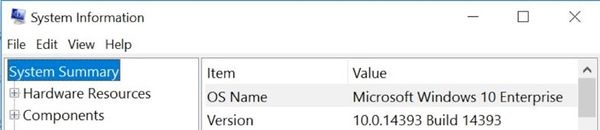
The issue does not occur on the other most common feature pack, 1511, identified by version number "10.0.10586".
ACTION
This issue has been fixed in Strategy Secure Enterprise 10.7. Upgrade t this version to take advantage of the fix.
The Strategy internal reference number for this issue is DE52116.
