SYMPTOM:
Users can choose when exporting a graph report to Excel with formatting, to export the graph as a "Live Excel Chart" by specifying this in the export options dialog, in Strategy Web or Strategy Office 8.1.x and 9.x.

After the export is completed, users can view the graph data correctly in the exported file as shown below. Note that the Excel formula bar shows the selected data for the graph. Also the results appear correctly even if the user chooses to save the file before opening it in Microsoft Excel 2007.

When the user attempts to save this file locally from Excel however, they would be prompted with a message stating that saving the file in the default "Single File Web Page (*.mht)" format may cause some data to be lost:

Sample Code/Error
{Report or Document Name}.xls may contain features that are not compatible with Single File Web Page. Do you want to keep the workbook in this format?
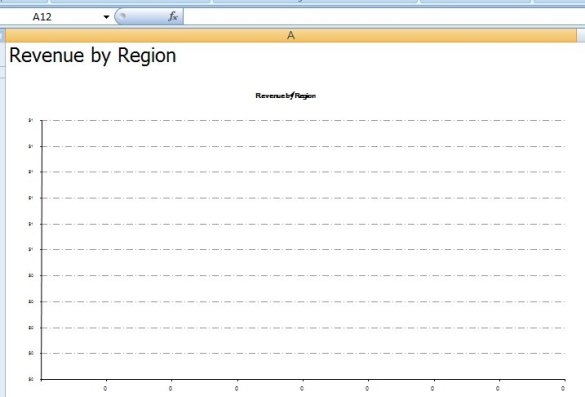
If the user chooses to save the file from Excel as this Single File Web Page format, subsequently opening this file from Microsoft Excel 2007, shows that there is no data available for the chart:
CAUSE:
This is a known issue with the Microsoft Excel 2007 handling of the mht (Single File Web Page) format that affects the chart data exported by Strategy. The chart data for the Live Chart is exported by Strategy as a hidden worksheet. When Microsoft Excel attempts to save this file, it incorrectly drops the hidden worksheet from the saved data. So the next time the file is opened, the chart data for the live chart is missing and no results can be displayed.
ACTION:
This issue has been logged to enhance the Strategy product capability to directly export to a native Microsoft Excel format in a future release. Contact Strategy Technical Support for an update on this issue.
WORKAROUND:
Users should not choose to save the export data to file from Microsoft Excel 2007 in a "Single File Web Page (*.mht)" format. Instead users should choose to save the exported data in the native Excel format (*.xls / *.xlsx), so that the data is preserved in the saved file for future use.
