SUMMARY:
While configuring and verifying an FTP device, an error message of "FTP location is invalid" is returned due to "@" character in the password.
SYMPTOM:
After verifying the settings in the FTP device and clicking the “Verify” button, the following error is encountered:
The FTP location is invalid.
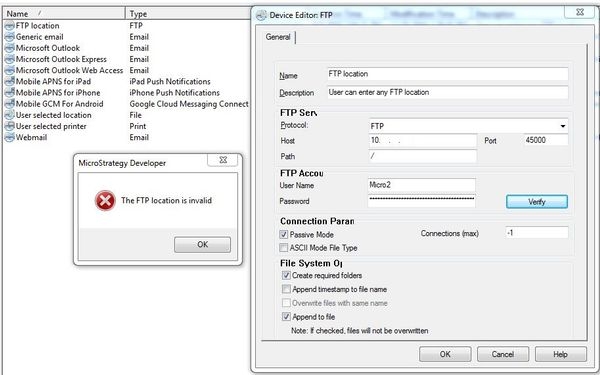
Settings are correct but the verify still fails.
CAUSE:
This is an identified defect in Strategy 10.x where the character “@” is used as a splitter between the user and the FTP location.
Example: ftp://micro1:test!@ftp.example.com/filename.pdf. If a “@” character is used in the password, the distinction between the username and the location becomes invalid.
ACTION:
This issue is scheduled to be addressed in Strategy 10.7.
WORKAROUND:
Do not use the “@” character in the password.
