SUMMARY:
While configuring and verifying a FTP device, an error message of "FTP location is invalid" is returned because the settings have not taken change in the Device Editor.
SYMPTOM:
After verifying the settings in the FTP device and clicking the “Verify” button, the error appears “FTP location is invalid”
The FTP location is invalid
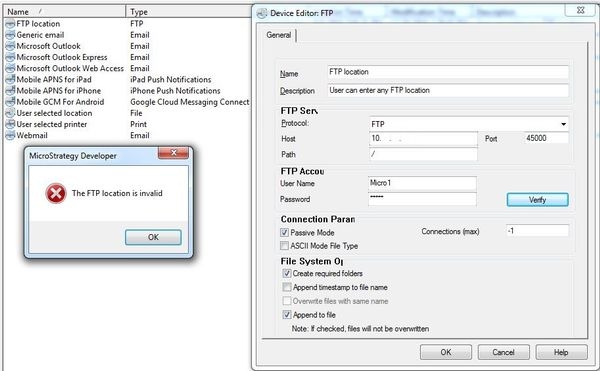
Even though the FTP settings are correct, the "Verify" procedure returns "FTP location is invalid"
CAUSE:
This is an identified defect in Strategy Developer 10.x where the verify button only uses the settings that were configured prior to opening the FTP device in edit mode.
STEPS TO REPRODUCE:
The above behavior can be reproduced by following the below procedure:
ACTION:
This is a known issue that has been identified in Strategy 10.x.
This issue has been fixed in Strategy 10.8 and newer, upgrade this version to take advantage of the fix.
WORKAROUND:
To verify the connection, enter the correct settings in the FTP Device Editor and press the "OK" button. Opening the FTP Device Editor again and clicking the "Verify" button will result in a successful connection. This process will have to be repeated every time the FTP device settings are changed.
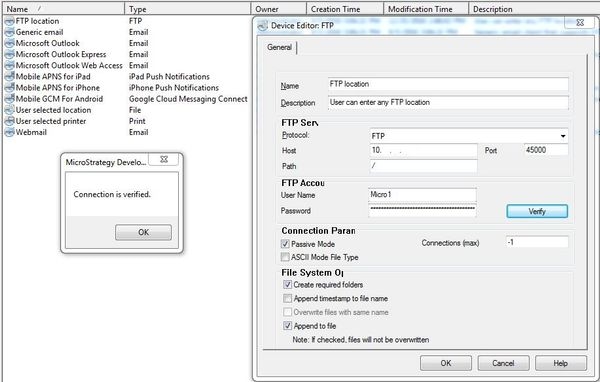
Note: The password becomes scrambled after clicking the "OK" button.
KB07442
