SUMMARY:
This Technical Note discusses a known defect in which the user is unable to update a dataset .xls excel file based off of an Intelligent Cube in Strategy Web 10.3 and newer.
SYMPTOM:
When replacing an older .xls excel file with a new one or adding in a new table to an older dataset and choosing a new dataset, the following error appears:
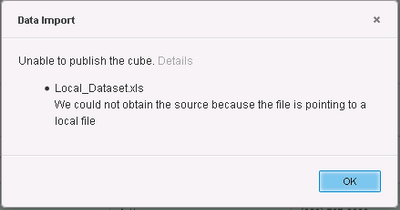
Unable to publish the cube. We could not obtain the source because the file is pointing to a local file.
[Report Net Server][Error][0x8006487E] We could not obtain the source because the file is pointing to a local file

[Kernel][Warning] CDSSServerMessage::ReviveRequestStatus:message status will be revived, ID: 00000000000000000000000000000000, status: 3, message text: (We could not obtain the source because the file is pointing to a local fileError in Process method of Component: ReportNetServer, Project XYZ, Job 00000, Error Code= -2147071874.)
CAUSE:
This is a known defect which is currently being investigated by Technology.
This defect is caused by the workflow of the cube update, which is not correct with the setting “Create Intelligent Cubes by database connection” enabled. The default is for the setting to be disabled (unchecked).
WORKAROUND:
The workaround for this issue is to uncheck the setting “Create Intelligent Cubes by database connection” option in Strategy Developer through Project Configuration > Intelligence Cubes > General as shown in the image below.

Restart Strategy Intelligence Server for the changes to take effect.
